Affiliate disclosure: This guide contains affiliate links. If you purchase through these links, SimTuts earns a small commission at no extra cost to you. We only recommend products we genuinely believe improve the flight sim experience.
Short-haul flying is comfortable. You take off, climb to FL350, have a cup of tea, and twenty minutes later you are already thinking about descent. Long-haul flying is a different animal. You are in the air for seven, ten, sometimes fourteen hours. The aircraft burns through tens of thousands of kilograms of fuel. You cross oceanic airspace where there is no radar coverage and the procedures are unlike anything you see over land. You manage step climbs, monitor fuel against plan, and deal with hours of cruise where nothing appears to be happening but everything needs to be right.
This guide walks you through an entire long-haul flight in MSFS 2024, from the moment you open SimBrief to the moment you set the parking brake at the destination gate. We will use a concrete example: London Heathrow (EGLL) to New York JFK (KJFK) in the PMDG 777-200ER, one of the most popular long-haul aircraft in the sim. The distance is roughly 3,000 nautical miles westbound, with a flight time of approximately 7 to 8 hours depending on winds.
Everything covered here applies to any long-haul flight you want to fly. The specific route and aircraft are just the vehicle for learning the process.
Part 1: Flight Planning with SimBrief
Long-haul flight planning is more involved than short-haul. You need to think about fuel reserves over oceanic airspace, alternate airports that may be hundreds of miles from your destination, step climb profiles, and wind-optimised routing. SimBrief handles all of this, but you need to understand what it is doing.
Setting Up the Flight
Open SimBrief and start a new flight. Set the origin to EGLL and the destination to KJFK. For the aircraft type, select the B772 (777-200ER) or B77W (777-300ER) depending on which variant you are flying.
Here are the key fields that matter for a long-haul flight:
Alternate airport. This is critical for oceanic flights. SimBrief needs an alternate to calculate your fuel correctly. For KJFK, common alternates are KBOS (Boston Logan), KEWR (Newark), or KPHL (Philadelphia). The alternate determines how much extra fuel you carry for the diversion.
Cost index. The 777 FMC accepts a cost index from 0 to 9999. A cost index of 0 means "minimum fuel burn, regardless of time" and flies the most fuel-efficient speeds. A high cost index means "time is expensive, fly faster even if it burns more fuel." For a typical long-haul operation, airlines use cost indices somewhere in the range of 80 to 150, which gives a reasonable balance between fuel economy and schedule. If you are not sure, 100 is a sensible default. For the PMDG 737, the range is 0 to 500 -- do not mix them up.
Cruise altitude. For a heavy 777-200ER departing on a 3,000 nm flight, the initial cruise altitude is typically FL320 to FL360 depending on weight and wind conditions. SimBrief will suggest an altitude, and it will also plan step climbs as the aircraft burns fuel and gets lighter.
Note the direction rule. In RVSM airspace at FL290 and above, a magnetic course of 180 to 359 degrees -- which is what a westbound Atlantic crossing is -- uses even flight levels at 2,000 ft intervals starting at FL300 (FL300, FL320, FL340, FL360, FL380), per 14 CFR 91.179. Odd levels like FL330 and FL350 belong to eastbound traffic in that airspace. On a North Atlantic track itself the levels available are whatever the day's track message lists for that track, which is why an oceanic segment can look like it breaks the rule.
Passengers and cargo. Set realistic numbers. A 777-200ER in three-class configuration carries around 300 passengers. The operating empty weight is approximately 138,000 to 146,000 kg (roughly 304,000 to 322,000 lbs) depending on configuration, and the maximum zero fuel weight is between about 195,000 kg (430,000 lbs) and 200,500 kg (442,000 lbs) depending on the weight variant. Set the passenger count and cargo to give a realistic ZFW somewhere between 165,000 and 185,000 kg -- a full passenger load plus bags and normal belly cargo lands in that band, and anything approaching the MZFW figure means you have loaded a freighter's worth of cargo.
Understanding the OFP Fuel Breakdown
Once you generate the OFP (Operational Flight Plan), look at the fuel section. SimBrief breaks fuel into these components, which follow the ICAO fuel planning framework:
Taxi fuel. Fuel burned from engine start to the runway. Typically 500 to 1,000 kg for a widebody.
Trip fuel. The fuel required to fly from takeoff to landing at the destination. This is the big number. For EGLL to KJFK in a 777-200ER, expect trip fuel in the range of 40,000 to 55,000 kg depending on winds, weight, and routing. Westbound flights burn significantly more fuel than eastbound because you are fighting the jet stream.
Contingency fuel. Normally 5% of trip fuel. This covers unexpected situations: stronger headwinds than forecast, routing deviations, holding. If trip fuel is 45,000 kg, contingency is 2,250 kg.
Alternate fuel. The fuel needed to fly from KJFK to your alternate airport after a missed approach. For a diversion to KBOS, this might be 3,000 to 4,000 kg.
Final reserve. Fuel for 30 minutes of holding at 1,500 feet above the alternate airport at holding speed. This is your absolute minimum, untouchable fuel. Usually around 2,500 to 3,500 kg for a 777.
Extra fuel. Any additional fuel you choose to carry beyond the minimum. Some pilots add extra for comfort, especially on oceanic flights.
Block fuel. The total fuel loaded: taxi + trip + contingency + alternate + final reserve + extra. This is the number you load into the aircraft.
Write down or note the following from the OFP -- you will need them when programming the FMC:
- Block fuel (total fuel to load)
- ZFW (zero fuel weight)
- Cost index
- Initial cruise altitude
- Step climb altitudes and points (if shown)
- Route string
If you want a deeper walkthrough of SimBrief OFP fields and how to transfer them to the FMC, see our SimBrief to FMC workflow guide.
ETOPS Considerations
The Boeing 777 is a twin-engine aircraft, which means ETOPS (Extended-range Twin-engine Operations Performance Standards) rules apply for oceanic crossings. The 777 was the first airliner to receive ETOPS-180 certification at entry into service in 1995, and GE-powered 777 variants (including the -200ER, -200LR, -300ER, and 777F) hold ETOPS-330 type approval.
What does this mean for your flight? ETOPS-180 means the aircraft is certified to fly routes where it could be up to 180 minutes (3 hours) from the nearest suitable diversion airport on a single engine. For the North Atlantic crossing between Europe and North America, ETOPS-180 covers virtually all practical routings.
In the sim, ETOPS is largely academic -- you will not lose an engine over the Atlantic (unless you are doing failure training). But SimBrief does factor ETOPS into its routing, and you will see ETOPS entry and exit points marked on your OFP. These are the points where you enter and exit the oceanic area where ETOPS rules apply. If the history of how twin-engine oceanic flying went from banned to routine fascinates you, ETOPS: The Development of Twin-Engine Long-Haul Flight by C.B. Holland tells the full story.
Part 2: Pre-Flight -- Loading the Flight Plan
With your SimBrief plan generated, it is time to set up the aircraft. If you are starting from a cold and dark cockpit, complete the startup procedure first. This section assumes you have power on, IRS aligned, and the FMC ready for input.
Loading Fuel and Payload
Before touching the FMC, load the correct fuel and payload into the aircraft. In the PMDG 777, you can do this through the EFB (Electronic Flight Bag) or through the MSFS fuel and payload menu.
The EFB method is straightforward: open the EFB, click "Request SimBrief Data," and it will pull your planned fuel and payload. Use the FUEL and PAYLOAD prompts to set the values. Verify that the total fuel loaded matches the block fuel figure from your OFP.
Programming the FMC
The PMDG 777 FMC follows the standard Boeing CDU workflow. Here is the sequence for a long-haul flight:
POS INIT page. Verify or enter your gate position. The GPS position should already be populated.
RTE page. This is where you load the route. Press the ROUTE REQUEST button to pull your SimBrief flight plan directly. Select the route, then click LOAD ROUTE. The FMC will simulate a datalink load, which takes a few seconds. When it is ready, click LOAD, then ACTIVATE, then press the EXEC button. Alternatively, you can enter the origin, destination, and route manually, but the SimBrief import is significantly faster and less error-prone for long-haul routes with dozens of waypoints.
DEPARTURES page. Select your departure runway and SID (Standard Instrument Departure). At Heathrow, the SID you get depends on which runways are in use and your direction of travel. For a westbound departure off one of the westerly runways, the Compton (CPT) SIDs are the ones that track you out toward the west; which SID you actually get depends on the runway in use and where your route joins the airway structure. Select the appropriate SID, press EXEC.
LEGS page. Scroll through the entire route and check for discontinuities -- gaps in the route shown as a dashed line. These are common when loading a SimBrief route, especially around the SID/STAR transitions and oceanic waypoints. Close any discontinuities by selecting the waypoint below the gap and placing it in the gap's position. For more detail on fixing route discontinuities, see our FMC programming guide.
The gap-closing gesture is the one worth having in your fingers before a fourteen-hour sector, because on a SimBrief-loaded oceanic route you will meet it more than once. ROUTE Page Basics is free on our browser 737 CDU trainer and covers the entry flow above; the Premium Closing a LEGS Discontinuity scenario is the repair itself.
PERF INIT page. Enter the following:
- ZFW: Enter the zero fuel weight from your OFP. For a loaded 777-200ER, this is typically 165,000 to 185,000 kg, and it must be below the aircraft's maximum zero fuel weight (about 195,000 to 200,500 kg depending on variant).
- Reserves: Enter the reserve fuel value. This is usually the alternate fuel plus final reserve from your OFP. The FMC uses this value to calculate fuel remaining at destination and trigger warnings if you are dipping into reserves. Important: do not include contingency fuel in the reserves field, or you will get nuisance "USING RSV FUEL" messages throughout the flight, because contingency fuel is routinely burned into.
- Cost index: Enter the cost index from your OFP. Typical range 80 to 150.
- CRZ ALT: Enter your initial cruise altitude. For a heavy 777-200ER westbound on this route, FL320 or FL340 is typical.
N1 LIMIT page. Set your takeoff thrust. The 777 offers fixed derate options (TO, TO-1, TO-2) and assumed temperature derating. For a long runway like Heathrow (typically 3,600+ metres available), you can use an assumed temperature derate to reduce engine wear and noise. SimBrief may suggest an assumed temperature on the OFP. If not, you can enter a temperature higher than the actual OAT to reduce thrust, but ensure you still have adequate performance for your takeoff weight.
TAKEOFF REF page. Enter your flap setting and V-speeds. For the 777-200ER, the available takeoff flap settings are 5, 15, and 20. Which one you use is a performance calculation, not a habit: the runway available, the takeoff weight, the temperature and any obstacle or noise requirement decide it, and a longer runway at moderate weight generally allows a lower flap setting. Take the setting, and V1, Vr and V2, from the EFB performance calculation or your OFP. At heavy weights (around 250,000 to 280,000 kg), expect V-speeds in the range of V1 145-155 kt, Vr 155-165 kt, V2 165-175 kt. The exact numbers depend on weight, temperature, altitude, and wind.
MCP Setup
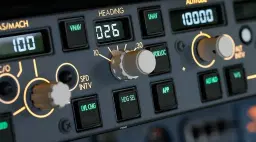
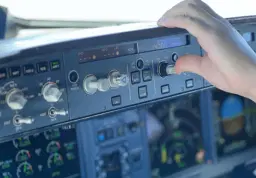
Before departure, set up the Mode Control Panel on the glareshield:
- Flight Director switches: both ON
- A/T ARM: ON
- IAS/MACH: set V2 or leave blank for FMC-managed speed
- Heading: set runway heading
- Altitude: set your initial cleared altitude (not cruise altitude)
Part 3: Departure
With everything programmed, you are ready to go. The departure phase of a long-haul flight is identical to a short-haul flight. Push back, start engines, taxi out, and take off following the SID.
A few long-haul-specific considerations during departure:
Weight matters more. A 777-200ER at near-maximum takeoff weight (up to 297,550 kg / 656,000 lbs MTOW) is a heavy aircraft. The takeoff roll will be longer, the initial climb rate slower, and the aircraft will feel more sluggish than you are used to if you normally fly short-haul with lighter loads. Respect the V-speeds and do not try to rotate early.
Initial altitude is not cruise altitude. ATC will typically clear you to an initial altitude well below your cruise altitude. Climb via the SID, and expect step clearances up to your cruise level as you move away from the terminal area.
SID compliance. Follow the SID altitude and speed constraints. The PMDG 777 VNAV will manage these automatically if the SID is properly loaded in the FMC. If you need help understanding SIDs, see our SIDs and STARs guide.
Once you are established in the climb and on your way, the departure phase is complete. The aircraft will accelerate to the climb schedule (typically 250 knots below 10,000 ft, then a climb speed around 310 to 320 knots, transitioning to a climb Mach around M0.82 to M0.84) and climb toward your initial cruise altitude.
Part 4: Oceanic Procedures -- The North Atlantic Tracks
This is where long-haul flying gets genuinely different from domestic operations. Between Europe and North America, you will cross the North Atlantic, and the procedures here are unlike anything over land.
What Are NAT Tracks?
The North Atlantic Organised Track System (NAT-OTS) is a set of pre-defined routes that cross the Atlantic, published daily by Shanwick Oceanic Control (EGGX) in Prestwick, Scotland, and Gander Oceanic Control (CZQX) in Newfoundland, Canada.
Why do they exist? The Atlantic is too far from land for radar coverage. Instead, aircraft are separated by time and position reports. To make this manageable, air traffic controllers create structured routes that handle the massive daily traffic flow between North America and Europe.
Westbound tracks are valid from 1130 UTC to 1900 UTC (crossing 30W) and carry the daytime traffic from Europe to North America. Your EGLL-KJFK flight will use a westbound track.
Eastbound tracks are valid from 0100 UTC to 0800 UTC (crossing 30W) and carry the overnight traffic from North America to Europe.
Westbound tracks are labelled A, B, C, D and so on, with the letter I omitted, and Track A is the northernmost. Eastbound tracks run the other way: Z, Y, X, W and so on with the letter O omitted, and Track Z is the southernmost. On a busy day, there may be six or more parallel tracks published.
The tracks occupy the upper part of the oceanic altitude band. Flight levels at and below FL330 were taken out of the organised track structure in 2022, so the OTS is published for FL340 and above, and aircraft below that file random routings instead.
How a NAT Track Looks
A NAT track is defined by a series of waypoints. The entry and exit points use standard five-letter waypoint names that connect to the domestic airspace system. Between the entry and exit points, waypoints are defined by latitude and longitude coordinates, typically positioned every 10 degrees of longitude. For example:
MALOT 53N020W 52N030W 51N040W 50N050W JOOPY
This means you fly from the named waypoint MALOT to position 53 degrees north, 20 degrees west, then to 52N/030W, then to 51N/040W, then to 50N/050W, and finally to the named waypoint JOOPY on the North American side.
How This Works in the Sim
SimBrief will generate a route that includes a NAT track (or a random oceanic route if NAT tracks are not active for your departure time). The oceanic waypoints will appear in your route string as lat/lon coordinates.
When you load the route into the PMDG 777 FMC, these coordinates should appear on the LEGS page. Scroll through and verify they are there. The FMC handles them as standard waypoints.
In MSFS 2024 without VATSIM or IVAO, there is no oceanic ATC controlling you. The default MSFS ATC does not simulate oceanic procedures. You simply fly the route as programmed. If you are flying on VATSIM, the procedures become much more involved -- you will need to request an oceanic clearance from Shanwick or Gander (via natTrak), and you may be assigned a different track or altitude than what you filed. Worth knowing that this is now a network procedure rather than a real-world one: in real operations the requirement for an oceanic clearance was withdrawn across the North Atlantic, Shanwick and Gander included, at the end of 2024, and crews now simply fly what is in the flight plan unless ATC amends it. That is beyond the scope of this guide, but our VATSIM first flight guide covers the basics of flying on the network.
SELCAL
SELCAL (Selective Calling) is a system that allows ground stations to alert a specific aircraft over HF (High Frequency) radio. In real-world oceanic operations, crews monitor HF radio for communications with oceanic control. Because HF radio has extremely high levels of background noise and is fatiguing to listen to continuously, SELCAL lets the crew mute the radio volume. When the ground station needs to contact the aircraft, it transmits a unique four-tone code assigned to that aircraft. The onboard decoder recognises the code and sounds an alert, telling the crew to turn the volume back up and respond.
In MSFS 2024, SELCAL is not functionally simulated by default ATC. On VATSIM, oceanic controllers may use SELCAL if you have registered a SELCAL code with your aircraft.
Get flight sim tips in your inbox
New guides, checklists, and tips. No spam. Unsubscribe any time.
Part 5: Cruise Management
You have reached your initial cruise altitude, the SID is behind you, and the aircraft is settled into cruise. On a 7 to 8 hour flight, you will spend roughly 6 hours in cruise. Here is what you need to manage during that time.
Monitoring the PROGRESS Page
The PROGRESS page is your primary monitoring tool in cruise. It shows:
- Distance to go (DTG) to the active waypoint and destination
- ETA at the destination
- Fuel remaining at destination (predicted)
Compare the predicted fuel at destination against your planned landing fuel from the OFP. If the FMC shows significantly less fuel at destination than you planned, investigate why. Common causes: stronger headwinds than forecast, routing deviations, or cruising at a non-optimal altitude.
A good habit is to check the PROGRESS page every 30 to 60 minutes during cruise. Look at the fuel trend. Is the predicted fuel at destination stable, increasing, or decreasing? Stable or increasing means you are on track or doing better than planned. Decreasing means something has changed -- most likely the winds.
Step Climbs: When and Why
Step climbs are one of the most important aspects of long-haul cruise management, and one of the most commonly missed by sim pilots.
Why step climb? As the aircraft burns fuel, it gets lighter. A lighter aircraft is more efficient at a higher altitude because the thinner air at higher altitude reduces drag at the speed the aircraft wants to fly. But immediately after takeoff, the aircraft is too heavy to cruise efficiently at the higher altitude -- it would need too much thrust, negating the fuel savings.
The solution is to climb in steps as fuel is burned. A typical 777-200ER westbound across the Atlantic might start at FL340, climb to FL360 after two or three hours, then to FL380 later in the cruise if the aircraft is light enough by then.
How the FMC helps. The PMDG 777 FMC CRZ page shows two critical values:
- OPT (Optimum Altitude): The altitude where fuel burn is most efficient for the current weight and wind conditions.
- MAX (Maximum Altitude): The highest altitude the aircraft can reach and still maintain a 300 ft/min climb rate and adequate buffet margin.
When the OPT altitude exceeds your current cruise altitude by approximately 2,000 feet, it is time to consider a step climb. You can also enter a step altitude in the STEP TO field on the CRZ page, and the FMC will calculate the optimal point along the route to make the climb and the fuel savings at destination.
Step size. In RVSM (Reduced Vertical Separation Minimum) airspace, which covers most of the oceanic and high-altitude en-route environment, flight levels are separated by 1,000 feet. Step climbs of 2,000 feet are standard (e.g., FL340 to FL360, then FL360 to FL380), which also keeps a westbound flight on the even levels the direction rule assigns it. You can set the step size on the CRZ page -- RVSM mode uses 2,000-foot steps.
How to execute a step climb. When you are ready to climb:
- Request a higher altitude from ATC (or just climb if flying offline)
- Set the new altitude in the MCP altitude window
- If using VNAV, the FMC will climb the aircraft at the optimal point. Alternatively, press the altitude intervention button to begin the climb immediately
- Update the CRZ ALT on the PERF INIT page if needed (the FMC may update this automatically depending on how you entered the step)
If you have never driven a step climb from the box rather than from the MCP, the Premium Step Climb Mid-Cruise scenario on our browser 737 CDU trainer runs the CRZ-page version end to end — OPT versus MAX, the STEP TO entry, and where the FMC decides to make the climb. The Premium A320 Step Climb scenario is the same idea on the MCDU.
What happens if you skip step climbs? You waste fuel. On a 7-hour flight, neglecting step climbs can cost you 1,000 to 2,000 kg of extra fuel burn compared to an optimised profile. That might not matter in the sim (where fuel is free), but if you are aiming for realism or flying on VATSIM where other pilots are watching your performance, it matters.
Cost Index Management
The cost index you set before departure affects your cruise speed. A higher cost index means a faster cruise speed (higher Mach number), which burns more fuel per hour but gets you there sooner. A lower cost index means a slower, more fuel-efficient speed.
For most flights, you set the cost index once and leave it. But there are situations where you might adjust it mid-flight:
- If you are running low on fuel, reduce the cost index to slow down and conserve fuel
- If you are running significantly ahead of schedule and have plenty of fuel, you might increase it slightly
On the PMDG 777, cruise speed at typical cost indices sits around Mach 0.82 (a cost index near 80) up to about Mach 0.84, which is the 777-200ER's typical cruise Mach. The aircraft maximum operating Mach number (MMO) is M0.87, and it is a limit rather than a cruise speed.
Wind Monitoring
On transatlantic flights, wind is the single biggest variable affecting your flight time and fuel burn. The North Atlantic jet stream can produce headwinds of 100 to 150 knots on a bad westbound day, or tailwinds of similar magnitude going eastbound.
Check the FMC wind data periodically during cruise. The PROGRESS page and LEGS page both show wind information at waypoints. If actual winds differ significantly from the forecast, your fuel predictions will shift accordingly.
Part 6: In-Flight Monitoring Checklist
Here is a practical checklist of what to monitor during the cruise portion of a long-haul flight. Check these items every 30 to 60 minutes:
- Fuel remaining vs planned. PROGRESS page fuel at destination should be close to your planned landing fuel.
- OPT vs current altitude. CRZ page. Is it time for a step climb?
- Wind. Are actual winds matching the forecast? Is fuel trending as expected?
- Aircraft systems. Engine parameters normal, hydraulics normal, electrical normal. Glance at the EICAS (Engine Indicating and Crew Alerting System) for any amber or red messages.
- Route. Are you still on the planned route? Any deviations caused by weather or ATC?
- Time. Is your ETA reasonable? Cross-check against the OFP.
In the real world, pilots also make position reports over oceanic airspace (reporting their position, altitude, speed, and next waypoint to oceanic control via HF radio or CPDLC datalink). In MSFS 2024 without VATSIM, this is not required, but it is a nice touch of realism if you want to practice.
Part 7: What to Do During the Boring Bits
Let us be honest. Six hours of cruise with nothing happening is a long time. Here are your options:
Sim Rate (Time Acceleration)
MSFS 2024 supports sim rate acceleration, but it is not bound to any key by default. Go to Settings, then Controls, search for "Sim Rate," and bind keys for Sim Rate Increase and Sim Rate Decrease. Four presses of the increase button reaches maximum speed.
Important considerations:
- There is no on-screen indicator showing your current sim rate, which is a known limitation
- Sim rate can cause frame rate drops and potential instability, especially at high speeds
- There is no experience point penalty for using sim rate in career mode
- Reduce sim rate back to 1x well before top of descent -- at least 200 nm out -- to give yourself time to prepare for arrival
Actually Monitor the Flight
If you want the full experience, treat cruise the way real pilots do: monitor periodically, handle step climbs at the appropriate times, review the weather at your destination, and brief the approach. On a real long-haul flight, the crew also eats, rests (on ultra-long-haul flights with augmented crew), and handles paperwork. You could use the time to:
- Study the arrival airport layout and taxi routes
- Review the approach plates for your expected arrival runway
- Read our approach plates guide if you need practice interpreting them
- Check the METAR and TAF for KJFK to anticipate which runways will be in use
Part 8: Top of Descent Planning
The transition from cruise to descent is one of the most critical moments of a long-haul flight. Get it right and the arrival flows smoothly. Get it wrong and you arrive high, fast, and stressed.
When to Start Thinking About Descent
Begin your descent preparation at least 150 nm before the FMC's calculated top of descent (T/D) point. This means roughly 30 to 40 minutes before you need to descend. Use this time to:
-
Review the STAR and approach. Confirm the arrival runway, STAR, and approach type are loaded in the FMC. For KJFK, common STARs for transatlantic arrivals include CAMRN FOUR and LENDY EIGHT, depending on the arrival direction and runway configuration. KJFK has ILS approaches on several runways, and some of them are published to lower minima -- runways 04R and 22L both carry CAT III ILS procedures, for example.
-
Brief the approach. Know the approach type, decision altitude or minimum descent altitude, missed approach procedure, and the runway length. JFK runways are long (the shortest is about 8,400 feet / 2,560 metres), so landing distance is rarely a concern for the 777.
-
Check your landing weight. Your predicted landing weight should be below the maximum landing weight. For the 777-200ER, MLW is 213,180 kg (470,000 lbs). On a normal transatlantic flight, you will be well below this. If for some reason you are overweight (diverted early, carried massive extra fuel), you may need to hold and burn fuel before landing.
The Top of Descent Point
The FMC calculates the T/D point and displays it on the LEGS page and ND (Navigation Display) as a white circle with a downward arrow. The FMC accounts for all altitude constraints on the STAR, wind forecasts, your current weight, and the descent speed schedule.
As a cross-check, use the 3:1 rule: take the altitude you need to lose (in thousands of feet) and multiply by three. If you are at FL380 and need to descend to sea level, that is 38,000 feet, so roughly 38 x 3 = 114 nm before the airport. The FMC usually calculates a slightly shallower profile (around 100 to 130 nm from that level), so the 3:1 rule is a good sanity check -- if the FMC says T/D is 80 nm out, something is wrong.
For more detail on VNAV descent and energy management, see our VNAV descent guide.
Setting Up the Arrival in the FMC
If you have not already, now is the time to finalise the arrival:
- On the FMC DEP/ARR page, select the arrival runway and STAR for KJFK
- Select the approach type (ILS, RNAV, etc.)
- Review the LEGS page to ensure the arrival routing looks correct and there are no discontinuities
- Press EXEC to confirm any changes
Set the approach speed in the FMC. For a 777-200ER at typical landing weight, Vref (Flaps 30) is approximately 130 to 145 knots depending on landing weight. The FMC will calculate this automatically based on your predicted landing weight once it is on the approach reference page.
Fourteen hours in, this is the part you are least sharp for, which is the argument for having drilled it cold. On our browser 737 CDU trainer the Premium Descent Setup (DES + FORECAST) and The Approach Numbers (APPROACH REF) scenarios cover the two pages above; ROUTE Page Basics is free if you want to start further back.
Part 9: Descent, Approach, and Landing
The Descent
When you reach the T/D point, the FMC will display a message. If VNAV is engaged, the aircraft will begin descending automatically along the planned vertical profile.
The typical descent profile:
- Cruise Mach to approximately M0.82-M0.84, then transition to IAS
- 280 to 300 knots indicated airspeed in descent until FL100
- 250 knots below 10,000 ft (in US airspace this is a regulatory limit under 14 CFR 91.117, not a suggestion; in Europe the equivalent limit is applied below FL100)
- Further speed reductions as you approach the terminal area per STAR constraints
During descent, monitor your altitude against the STAR constraints. The VNAV should handle these automatically, but verify by cross-checking the LEGS page constraints against your actual altitude at each fix. If ATC (or VATSIM controllers) gives you a shortcut or vector, you may need to manage the descent manually. Speed brakes are your friend if you end up high.
The Approach
By the time you are within 30 nm of the airport, you should be:
- Established on the STAR routing or vectored by ATC toward the final approach course
- Below 10,000 ft at 250 knots or less
- Briefed on the approach with frequencies set
For an ILS approach at KJFK, the procedure is the same as any other ILS approach. Intercept the localiser, capture the glideslope, configure landing flaps (Flaps 25 or 30 -- most operators use Flaps 30 on the 777), gear down, and stabilise by 1,000 feet AGL. For guidance on flying ILS approaches, see our ILS approach guide.
The 777 at landing weight is a large aircraft but handles predictably. Vref plus wind correction gives your target approach speed. Cross the threshold at approximately 50 feet, begin the flare, reduce thrust to idle, and touch down. Apply reverse thrust and brakes.
After Landing
Taxi to the gate, set the parking brake, and complete the shutdown procedure. On a real flight, the crew would complete arrival paperwork, fuel reconciliation, and log the flight. In the sim, take a moment to review your flight:
- How did your actual fuel burn compare to the planned fuel burn?
- Did you execute your step climbs at roughly the right points?
- Was your descent profile smooth, or did you end up high and fast?
- What would you do differently next time?
Part 10: Common Long-Haul Mistakes
After flying many long-haul flights (and watching many other sim pilots fly them), these are the errors that come up repeatedly:
1. Not Loading Enough Fuel
If you only load trip fuel without contingency, alternate, and reserve fuel, you are setting yourself up for an emergency. On a good day, you will land with fumes. On a bad day with headwinds or a missed approach, you will run dry. Always load the full block fuel from your OFP.
2. Forgetting Step Climbs
Staying at your initial cruise level for 7 hours wastes significant fuel. The FMC is telling you the optimal altitude on the CRZ page -- use it.
3. Wrong Cost Index
Entering a 737 cost index (0-500 range) into a 777 FMC (0-9999 range) will result in flying much slower than intended, since the same numeric value represents a much lower proportion of the range. Conversely, entering a high cost index because you copied it from the wrong source will have you flying fast and burning excessive fuel. Always cross-check the cost index against the aircraft type.
4. Not Briefing the Approach Until Late
Starting to think about the arrival when you are already descending through FL200 is too late. Brief the approach before top of descent. Know which runway you are expecting, which STAR and approach are loaded, what the decision altitude is, and what you will do if you need to go around.
5. Ignoring Fuel State During Cruise
Setting up the flight, accelerating through cruise, then decelerating for descent without ever checking the PROGRESS page is a common pattern. You might arrive with half the expected fuel if the winds were worse than forecast, and you would never know until the fuel warning goes off.
6. Descending Too Late or Too Early
The T/D point exists for a reason. Starting descent 50 nm past it means you are now high on the profile and will need speed brakes, aggressive descent rates, or both to get down. Starting 50 nm too early means you arrive low and slow, wasting fuel in low-altitude cruise. Cross-check the FMC's T/D against the 3:1 rule.
7. Using Excessive Sim Rate Without Preparation
Accelerating to maximum sim rate and then scrambling to slow down and set up for arrival leads to missed step climbs, unprepared approaches, and general chaos. Reduce sim rate well before T/D (at least 200 nm out) and use the time to set up properly.
Where Long-Haul Differs for the Fenix A320 and PMDG 737
While this guide uses the 777 as the example, the principles apply to any long-haul flight. If you are stretching a narrowbody on a longer route (the 737-800 has a maximum range of around 2,935 nm, though practical routes with full payload are often shorter, and the A320 similar), the key differences are:
FMC/MCDU interface. The Fenix A320 uses Airbus terminology: INIT page instead of PERF INIT, PROG page instead of PROGRESS, managed descent instead of VNAV. The concepts are the same but the button presses are different.
Cost index range. The PMDG 737 uses 0-500. The Fenix A320 uses 0-999. The PMDG 777 uses 0-9999. Do not mix these up.
Step climbs. Narrowbodies are lighter and reach optimal altitude faster. A 737-800 on a 2,000 nm flight might only need one step climb (e.g., FL350 to FL370). A 777 on a 3,000+ nm flight might need two or three.
Fuel margins. Narrowbodies have less fuel margin. A 777-200ER with its 171,000-litre fuel capacity has significant reserves for a transatlantic flight. A 737-800 at its limits has much less margin for error.
Oceanic procedures. The NAT tracks, SELCAL, and oceanic concepts apply regardless of aircraft type. Any aircraft crossing the Atlantic follows the same rules.
Wrapping Up
A long-haul flight is one of the most satisfying experiences in flight simulation. There is something deeply rewarding about planning a complex transatlantic crossing, managing the aircraft through every phase, and parking at the gate seven hours later knowing you did it properly.
The key to getting it right is preparation. A well-planned SimBrief OFP, a correctly programmed FMC, and periodic monitoring during cruise will handle 90% of the work. The other 10% is managing the descent properly and having the discipline to brief the approach before you start down.
Start with EGLL to KJFK. Once you are comfortable with the process, try longer routes: EGLL to KLAX, EGLL to VHHH, or even the ultra-long-haul routes like WSSS to KJFK. The procedures scale -- the flights just get longer.
Want to understand the real-world procedures behind what the sim simplifies? Global Navigation for Pilots by Dale De Remer and Gary Ullrich covers oceanic navigation, NAT tracks, position reporting, RVSM, and international flight planning in detail — everything you need if you want to fly oceanic routes on VATSIM properly or just understand what real crews are doing on the routes you fly in the sim.
Safe flying.