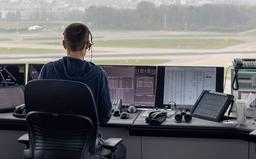
You have been flying offline for weeks, maybe months. You know how to start the engine, fly a pattern, and land without breaking anything. But every time you think about connecting to VATSIM, something stops you. What if you say the wrong thing? What if a controller yells at you? What if you block a runway and ruin someone else's flight?
This guide is for you. By the end, you will have connected to the network, flown a short flight, talked to ATC (or at least listened), and realized it was never as scary as you imagined.
What Is VATSIM?
VATSIM (Virtual Air Traffic Simulation Network) is a free online network where flight sim pilots fly with real human air traffic controllers. Instead of the robotic default ATC in MSFS or X-Plane, you get actual people staffing tower, approach, center, and ground positions using realistic phraseology and procedures.
It has been running since 2001 and has over 100,000 registered members. On any given evening, you will find hundreds of pilots online and dozens of staffed ATC positions around the world. Special events regularly draw over 1,000 simultaneous connections.
The best part: it is completely free. No subscription, no paywall, no trial period. You sign up, download the client, and connect.
The Anxiety Is Normal
If the thought of keying up for the first time makes your palms sweat, congratulations: you are in the majority. Search any flight sim forum for "first VATSIM flight" and you will find hundreds of threads from people describing the exact same fear. Pilots with thousands of offline hours who cannot bring themselves to press the push-to-talk button.
This anxiety is so universal that the VATSIM community has a name for it. They call it "mic fright." Experienced controllers and pilots talk openly about how nervous they were the first time. Many admit it took them weeks of lurking on the network (connected but never transmitting) before they finally spoke.
Here is the thing: the fear is almost always worse than the reality. Controllers on VATSIM are volunteers who chose to be there because they enjoy helping pilots. They have heard every mistake imaginable. They are not going to judge you. They are going to help you.
What You Need Before Connecting
1. A VATSIM Account
Go to https://vatsim.net and register. You will pick a name and receive a VATSIM CID (your unique ID number). After registration, you must complete the New Member Orientation Course and pass a short exam (80% to pass) before you can connect to the network. It covers basic rules, etiquette, and how the network works. Budget about 20-30 minutes for the whole process.
2. A Pilot Client
The pilot client is the software that connects your simulator to the VATSIM network. Which one you need depends on your sim:
- MSFS (Microsoft Flight Simulator): Use vPilot. Download it from https://vpilot.rosscarlson.dev. It runs as a separate application alongside MSFS.
- X-Plane: Use xPilot. Download it from https://xpilot-project.org. It installs as an X-Plane plugin with a standalone companion app.
Both clients handle the same core functions: connecting to the network, transmitting and receiving voice, and showing other traffic in your sim.
3. Audio Setup
You need a working microphone and headset. Before your first flight, test your audio in the pilot client. Both vPilot and xPilot have audio setup wizards that let you verify your mic works and your volume levels are reasonable.
Use a headset rather than speakers. ATC transmissions through speakers create echo and feedback that makes you hard to understand.
4. Your Aircraft Model Set
Other pilots on the network need to see your aircraft, and you need to see theirs. Both vPilot and xPilot handle model matching (showing the correct or closest aircraft model for each pilot). Follow the model set installation instructions for your client. Without this, you will see default aircraft for everyone, which works but looks odd.
5. A Basic Understanding of Your Aircraft
You do not need to be an expert, but you should be comfortable with:
- Starting the engine and taxiing
- Setting transponder codes (squawk codes)
- Tuning COM radio frequencies
- Basic takeoff and landing
- Reading your altimeter and airspeed indicator
If any of these feel shaky, practice offline first. VATSIM will still be there when you are ready.
Choosing Your First Flight
Your first VATSIM flight should be boring by design. You are not here to impress anyone. You are here to get comfortable with the network and basic radio communication.
Pick the Right Airport
- Avoid major hubs. Heathrow, LAX, JFK, Atlanta, and Dubai are busy, fast-paced, and unforgiving for beginners. Controllers at these airports handle heavy traffic and expect brisk, accurate readbacks.
- Choose a quiet regional airport. Smaller airports with less traffic give you time to think, and controllers at quieter fields tend to be more patient and conversational.
- Check what is staffed. Open the VATSIM map at https://map.vatsim.net and look for green or blue icons showing staffed positions. A small towered field with a single tower controller is ideal.
- No ATC is fine too. If no controllers are online near you, you can still fly using UNICOM (frequency 122.800). You will make position announcements to other traffic in the area but there is no controller to worry about. This is a great way to get comfortable with the client software.
Plan a Short Flight
Aim for a 30 to 45 minute VFR (Visual Flight Rules) flight. Pick two airports about 50 to 80 nautical miles apart. A Cessna 172 or similar GA (General Aviation) aircraft is perfect. Nobody expects a student pilot to show up in a 737.
Write down the key frequencies before you connect:
- Ground frequency
- Tower frequency
- Departure frequency (if applicable)
- ATIS frequency (if available)
- UNICOM: 122.800
Essential Radio Phraseology
You do not need to memorize an entire phraseology manual. These phrases cover 90% of what you will say on your first VFR flight.
The Golden Rule
Every transmission follows the same pattern: who you are calling, who you are, what you want.
"Springfield Tower, Cessna 4-7-2 Sierra Papa, request taxi to runway 2-4."
Quick Reference: Phrases You Actually Need
| Situation | What You Say | Example |
|---|---|---|
| First contact with ground | "[Facility] Ground, [callsign], at [location], request taxi [runway/VFR departure]" | "Springfield Ground, Cessna 472SP, at the general aviation ramp, request taxi to runway 24, VFR departure to the northwest" |
| Readback taxi instructions | Repeat the key parts: runway, route, hold short instructions | "Taxi to runway 24 via Alpha, Cessna 472SP" |
| Ready for takeoff | "[Facility] Tower, [callsign], holding short runway [number], ready for departure" | "Springfield Tower, Cessna 472SP, holding short runway 24, ready for departure" |
| Readback takeoff clearance | "Cleared for takeoff runway [number], [callsign]" | "Cleared for takeoff runway 24, Cessna 472SP" |
| Leaving the frequency | "[Callsign] switching to [frequency/facility]" | "Cessna 472SP switching to departure, good day" |
| Checking in on new frequency | "[Facility], [callsign], [altitude]" | "Springfield Departure, Cessna 472SP, 2,500 climbing 4,500" |
| Position report (UNICOM) | "[Airport] traffic, [callsign], [position/intentions]" | "Lincoln traffic, Cessna 472SP, 10 miles to the south, inbound for landing runway 18, Lincoln" |
| Inbound for landing | "[Facility] Tower, [callsign], [position], inbound for landing" | "Springfield Tower, Cessna 472SP, 8 miles to the east, 3,000 feet, inbound for landing" |
| Readback landing clearance | "Cleared to land runway [number], [callsign]" | "Cleared to land runway 24, Cessna 472SP" |
| After landing, clear the runway | "[Facility] Ground, [callsign], clear of runway [number], taxi to parking" | "Springfield Ground, Cessna 472SP, clear of runway 24, request taxi to the general aviation ramp" |
| You did not understand | "Say again" or "[Callsign], say again" | "Cessna 472SP, say again" |
| You need a moment | "Standby" | "Standby, Cessna 472SP" |
Tips for Sounding Less Nervous
- Speak slowly. New pilots rush their transmissions. Take a breath before keying up, then speak at a normal conversational pace.
- Write it down first. Before pressing push-to-talk, jot down what you want to say. There is no shame in reading from a script.
- Listen before you talk. Tune in and listen to how other pilots communicate. You will pick up the rhythm quickly.
- Do not say "um" or "uh." If you need to think, release the push-to-talk button, think, then press it again.
- Your callsign goes last. In readbacks, put your callsign at the end. It sounds more natural and it is standard practice.
The cheapest way to get past the mic fright is to say these out loud somewhere nobody is listening. Our browser RT practicer is free for exactly that — Radio Check & Initial Call, Start-up & Taxi, and Line-Up, Take-Off & Frequency Change are the same three exchanges your first flight will open with.
Step-by-Step: Your First Flight
Here is exactly what a first VFR flight looks like from start to finish. We will use a fictional flight from Springfield (KSPI) to Lincoln (KLNK) in a Cessna 172.
Before You Connect
- Load your flight in the sim. Spawn at a parking spot or gate, never on a runway. Cold and dark is fine.
- Open your pilot client (vPilot or xPilot).
- Enter your flight details: callsign (use your real-world-style registration like N472SP or pick any realistic one), aircraft type (C172), departure airport (KSPI), arrival airport (KLNK).
- Check ATIS. If the airport has an ATIS broadcast, listen to it or read the text version in your client. Note the active runway, winds, and altimeter setting. The ATIS will have a letter identifier (like "Information Alpha"). You will mention this on first contact to tell the controller you already have the weather.
Connect and Listen
- Connect to the network. Your pilot client will show you as online. Do not transmit yet.
- Tune the ground frequency and listen for a minute. Get a feel for the pace and what other pilots are saying.
Request Taxi
- Key up on ground frequency:
"Springfield Ground, Cessna 4-7-2 Sierra Papa, at the general aviation ramp with information Alpha, request taxi to runway 2-4, VFR departure to the northwest."
- The controller will respond with taxi instructions, something like:
"Cessna 4-7-2 Sierra Papa, Springfield Ground, taxi to runway 2-4 via taxiway Alpha."
- Read back the instruction:
"Taxi to runway 2-4 via Alpha, Cessna 472SP."
- Taxi to the runway. Follow the route you were given. If you are unsure where to go, it is completely acceptable to ask: "Cessna 472SP, unfamiliar with the airport, request progressive taxi."
Takeoff
-
Hold short of the runway and switch to tower frequency (the controller may tell you to "contact tower" or you may need to switch yourself).
-
Report ready:
"Springfield Tower, Cessna 4-7-2 Sierra Papa, holding short runway 2-4, ready for departure."
- The tower will either clear you or ask you to hold. If cleared:
"Cessna 4-7-2 Sierra Papa, runway 2-4, cleared for takeoff, winds 2-4-0 at 8."
- Read back:
"Cleared for takeoff runway 2-4, Cessna 472SP."
- Take off and fly your departure. The tower may give you a heading or simply say "fly runway heading" or "left/right turn approved." Follow the instruction.
En Route
- If a departure controller is online, tower will hand you off: "Cessna 472SP, contact departure on 124.0." Switch and check in:
"Springfield Departure, Cessna 4-7-2 Sierra Papa, 2,500 climbing 4,500."
-
If no controller is online for your route, tower will say something like "radar services terminated, squawk VFR, frequency change approved." Switch to UNICOM (122.800) and make position reports as needed.
-
Fly your route. Enjoy the flight. Keep your transponder on and altitude consistent. If a center controller covers your area, they may call you. Just respond naturally.
Arrival and Landing
- About 15 to 20 miles out from your destination, check if ATC is online. If a tower is staffed, tune their frequency and call in:
"Lincoln Tower, Cessna 4-7-2 Sierra Papa, 15 miles to the southeast, 4,500 feet, inbound for landing with information Bravo."
- The controller will give you a pattern entry or a straight-in approach:
"Cessna 472SP, Lincoln Tower, enter left base runway 1-8, report 3-mile final."
- Read back and comply:
"Left base runway 1-8, will report 3-mile final, Cessna 472SP."
- If no ATC is online, make UNICOM announcements:
"Lincoln traffic, Cessna 4-7-2 Sierra Papa, 10 miles to the southeast, inbound for landing runway 1-8, Lincoln."
- Land, exit the runway, and taxi to parking. If ground is staffed, request taxi. If not, taxi to a ramp and shut down.
Disconnect
- Park and shut down your aircraft, then disconnect from the network in your pilot client. You did it.
Get flight sim tips in your inbox
New guides, checklists, and tips. No spam. Unsubscribe any time.
What Happens When You Mess Up
You will make mistakes. Everyone does. Here is what actually happens when things go wrong on VATSIM:
"I said the wrong thing."
The controller will either understand what you meant and move on, or they will politely correct you. Nobody is keeping score. Controllers hear garbled, incorrect, and confused transmissions every single session. Yours will not be the worst they have heard today.
"I forgot what the controller said."
Say "say again" and the controller will repeat the instruction. You can say this as many times as you need. Controllers would rather repeat themselves than have you guess and do the wrong thing.
"I have no idea what is happening."
Say "standby" to buy yourself time. The controller will move on to other traffic and come back to you. Take a breath, think about what you need, and respond when you are ready.
"I am too nervous to use voice."
Both vPilot and xPilot support text communication. You can type your transmissions instead of speaking them. Many new pilots start with text and switch to voice once they are comfortable. Controllers are used to this and will not treat you differently.
"I taxied to the wrong place / took a wrong turn / got completely lost."
Tell the controller. "Cessna 472SP, I am unfamiliar, request progressive taxi" is a perfectly normal thing to say. The controller will give you step-by-step directions.
"Can I get banned for making mistakes?"
No. VATSIM's Code of Conduct is about behavior, not skill. Being new, making wrong readbacks, getting lost, or needing extra help are all expected and welcomed. What will get you in trouble is intentionally disrupting the network: spawning on active runways during events, refusing to follow instructions, or being abusive on frequency. Normal mistakes from a learning pilot? That is what the network is for.
VATSIM Etiquette: The Unwritten Rules
Beyond basic radio skills, a few etiquette points will keep your experience smooth:
Spawn at a Gate or Parking Spot
Never connect to the network while sitting on an active runway or taxiway. Always start at a gate, ramp, or parking spot. If your sim spawns you on a runway by default, reposition before connecting.
Squawk Correctly
When ATC assigns you a transponder code ("squawk 4-5-2-1"), enter it accurately and set your transponder to Mode C (altitude reporting). When flying without ATC, squawk 1200 (VFR in North America) or the appropriate code for your region.
Monitor the Frequency
Keep your volume up and listen. If a controller calls you and you do not respond, they will try again. After multiple attempts with no reply, they may disconnect you or assume you have left. Stay attentive to the frequency you are on.
Let the Controller Know If You Need to Leave
If you need to disconnect mid-flight (real-life calls, sim crash, dinner is ready), let ATC know if possible. A quick "Cessna 472SP, requesting to disconnect" is appreciated. If your sim crashes and you cannot, do not worry. Controllers understand that technical issues happen.
Do Not "Clip" Other Pilots
If you see another pilot taxiing or on approach, do not cut in front of them. Treat other traffic on the network the way you would in real life. Yield when appropriate.
File a Flight Plan for IFR
If you are flying VFR, a flight plan is optional (though nice to have). If you plan to fly IFR in the future, you will need to file one. For your first VFR flight, do not worry about it.
Leveling Up: Your First IFR Flight
Once you have a few VFR flights under your belt and the mic fright has faded, IFR (Instrument Flight Rules) is the next step. IFR flying on VATSIM adds several layers:
- Filing a flight plan. You will use a tool like SimBrief to generate a route and then file it through your pilot client or the VATSIM website.
- Receiving a clearance. Before departing, you will contact clearance delivery and receive your route, initial altitude, departure procedure, and squawk code. The clearance readback is the most intimidating part for beginners, but it follows a predictable format — the Premium IFR Departure Clearance (CRAFT) scenario on our RT practicer drills that format until the readback stops being a memory test.
- Following procedures. SIDs (Standard Instrument Departures), STARs (Standard Terminal Arrival Routes), and instrument approaches replace the visual flying you have been doing. You will need to know how to load and fly these in your aircraft's FMS or GPS.
- More ATC interaction. IFR flights involve more handoffs between controllers and more precise instructions. You will talk to clearance, ground, tower, departure, center, approach, and tower again on arrival.
IFR is where VATSIM truly shines. Having a real human guide you through a busy approach sequence in low visibility is an experience that offline flying simply cannot replicate. But there is no rush. Build your confidence with VFR first.