Picture the best approach in Europe. You thread the Thames at 2,000 feet with the Shard off your right wing, Tower Bridge just off your right side and the towers of Canary Wharf dead ahead. Then the runway appears, and it looks like someone left a garden path at the end of a river dock.
Now put an A320 on it.
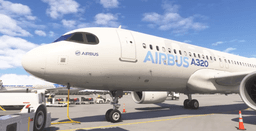
In real life, today, you can't. That is what makes this such a good flight. London City wants the A320neo, the A320neo can't be certified for the airport's famous steep approach, and so a new, shallower approach has been designed just for it. In your simulator, you can fly that approach before any airline has.
This guide gives you two flights: the rehearsal, built from the airport's own proposal, and the forbidden one, which is today's 5.5 degree ILS in an airliner that has no business being on it.
What's Real and What Isn't
Let's clear this up first, because the headlines blur it. As of 31 October 2026:
- No A320 can land at London City. The ILS charts say the procedure is "only valid for aircraft certified to carry out approaches at 5.5°".
- London City has proposed a new 4.49 degree approach to both runways, reference ACP-2025-003. It would sit beside the 5.5 degree ILS, not replace it.
- The CAA has not published a decision. The proposal sits at Stage 5, Decide, on the Airspace Change Portal. The decision was expected by 25 September, and the airport's target date for the procedures is 21 January 2027. That date assumes approval, and the 23 October deadline for submitting the charts has already passed, so it may slip.
- No plates exist for it yet. The waypoint and transition names are working names. Anything calling itself an A320 plate for London City today isn't a real chart.
So the 5.5 degree numbers in this guide come from published charts, and the 4.49 degree numbers come from the airport's Stage 4 proposal. None of this is for real-world use, and the proposed design could change. If you're reading this after January 2027, check the current charts first.
Why London City Is So Strange
Most airliners descend at about 3 degrees. London City's ILS is 5.5. The new proposal sits in between, and those extra degrees change everything about the last few miles.
| Path | Height lost per nm | Descent at 120 kt groundspeed | At 140 kt | At 160 kt |
|---|---|---|---|---|
| 3.0° (normal) | 318 ft | 637 fpm | 743 fpm | 849 fpm |
| 4.49° (proposed) | 477 ft | 954 fpm | 1,113 fpm | 1,272 fpm |
| 5.5° (today's ILS) | 585 ft | 1,170 fpm | 1,365 fpm | 1,560 fpm |
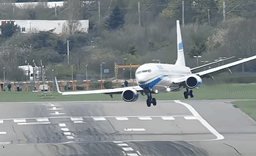
The runway is the other half of the puzzle. It's 1,508 m long and 30 m wide, with a landing distance available of 1,494 m on runway 09. There's water on both sides of it and an arrestor bed in each overrun.
You'll hear both directions described as spectacular, but the one you want is runway 09, landing east. Every London City arrival comes in from the east, so landing on 09 means flying right past the airport along the south of the city, turning over central London, and coming back. Only about a third of arrivals do it, so it's the rarer treat as well as the prettier one.
Why the A320 Can't Just Fly the ILS
A 5.5 degree approach isn't simply a matter of pointing the nose lower. Aircraft need approval for it, and the airport's own proposal is blunt: the A320neo "cannot be certified to fly our current steep approach" and is capable of a non-standard angle "of up to 4.5° and no steeper".
Hence 4.49 degrees. It slips just under the aircraft's limit, which keeps arrivals as high as possible for as long as possible. It also sits below the 4.5 degree line that defines a steep approach, so crews wouldn't need steep approach training or the steep approach authorisation.
Here's the twist: an A320 family jet has already done this. The little A318 was certified for 5.5 degree approaches with a dedicated steep approach function that used partial spoiler deployment, and British Airways flew it from London City to New York, stopping at Shannon, until 2020. It flew under Concorde's old BA001 flight number.
So the A318 got there with a special system. Your A320 gets no such help, which matters more than you'd think.
The Trap: No Speedbrake at Flaps Full
The FCOM is clear: speedbrake extension is inhibited with the flaps in configuration FULL. Fly the last four miles in FULL and that lever is decoration.
That's the whole personality of this approach. On a normal 3 degree path, a bit of extra speed is an annoyance you can fix. On a steep one, the aeroplane is already trying to accelerate, you have no spare drag left, and you have very little time. Your energy must be sorted before the descent starts.
What You Need
- Simulator: the headline scenery is iniBuilds London City (EGLC), which is MSFS 2024 only and came out in June 2026. Its release notes point out that the steep approach requires specially certified aircraft and crews, which is rather the point of this exercise.
- Aircraft: any A320 with a full MCDU. If you can, pick a neo for the rehearsal, since it's the type the proposal was written around. The iniBuilds A320neo and the FlyByWire A32NX are the obvious choices. The Fenix A320 is a great flight too, though it's a ceo, so treat that flight as a variation.
- Charts: the free UK AIP has everything. You want the ILS RWY 09 chart (AD 2-EGLC-8-1) and the ODLEG 1G 1J approach transitions chart (AD 2-EGLC-7-16).
- A light aeroplane: nobody has published what weight a real A320neo could land at here, so we won't invent a number. Choose a short hop with minimum fuel and a part load. If your aircraft has a landing performance tool, give it the real 1,494 m.
Keep your first attempt simple: clear daylight, light winds, and a straight-in mindset. Rain and a tailwind are for later, as a reward.
Setting Up the MCDU
The clever bit of this flight happens at cruise, on the MCDU. If you need a refresher on the pages themselves, how the A320 MCDU works covers them.
One note on our own trainer: its coded procedures cover US airports and Paris Charles de Gaulle only, so it doesn't carry London City's arrivals. Everything below is for your add-on A320 in the sim. Where a skill transfers, we'll link the drill that teaches it.
F-PLN and the Arrival
On the ARRIVAL page, choose the ILS 09 and a STAR that fits your routing. London City's STARs include SUMUM 1C, XAMAN 1C, SILVA 1C, KONAN 1C and LISTO 1C. Check on the chart where yours ends, because the transition to runway 09 starts from a holding fix: ODLEG 1J from JACKO, or ODLEG 1G from GODLU. What your MCDU offers depends on your navdata, so compare it with the chart before you trust it. If the transition isn't there, type the waypoints in by hand. That's good practice anyway: the altitude and speed constraints drill teaches exactly that, and clearing a discontinuity handles any gaps you leave up to ODLEG. To learn the ARRIVAL page itself, try the US SID and STAR drill.
These are the fixes to check on your F-PLN page:
| Fix | Altitude | Speed |
|---|---|---|
| RAVSA | 6,000 ft | |
| LCE07 | 4,000 ft | |
| OSVEV | 3,000 ft | 210 kt max |
| LCS01 | 3,000 ft | 185 kt max |
| LCS02 | 2,000 ft | |
| TODBI | 2,000 ft | |
| ODLEG | 2,000 ft | 185 kt max |
Leave the Gap After ODLEG
This is the trap on this page. The published arrival ends at ODLEG. Its last leg is a manual one: fly track 048 with no end point, until ATC turns you onto the ILS. Nothing on the chart joins ODLEG to the approach, so your F-PLN should show MANUAL or a F-PLN DISCONTINUITY straight after ODLEG. Leave it there, even though the MCDU habit is to clear it. You can't type a MANUAL leg yourself, so a hand-built route will show just the discontinuity.
Clear that gap and the FMS joins ODLEG to the next waypoint with a line of its own. If your ND shows a big curve from ODLEG towards the airport, that's what you're looking at. It isn't part of any procedure, and it isn't how you get onto the localiser, so don't follow it. You'll fly this last part yourself, as we'll see in a moment.
RAD NAV
Check the frequency is 111.15 with the ident ILST and course 092, and press LS on the EFIS panel so the ILS information and DME show on your PFD. There's a lovely trap here: both runway ends share 111.15. Runway 27's ILS is ILSR, so if your sim has tuned the wrong end, the ident tells you.
PERF APPR
This page is where the flight is won. Our PERF APPR drill walks you through every field at Heathrow, and the same keys apply here.
- QNH, TEMP and MAG WIND: use the real ATIS, on 136.355 if you fly with live weather.
- TRANS ALT: 6000. Forget the 18,000 ft habit if you normally fly in the US.
- VAPP: let the FMGC compute it. It's VLS plus a wind correction of a third of the headwind, between 5 and 15 kt. Be honest here: every knot you add is a knot you carry down 1,494 m of runway.
- BARO: 540. That's the published Category C figure at a 2.5% climb gradient, and it's a stand-in for the rehearsal, because the 4.49 degree minima aren't public. London City isn't suitable for anything below Category I, so leave RADIO empty.
- LDG CONF: FULL, which is the default. It gives you the lowest approach speed. It also takes your speedbrake away, as we've seen.
The Paper Gate Card
The MCDU won't draw the proposed profile for you. In a real A320 the approach would be flown down a coded path from the nav database, but no sim database has one yet. So you'll do it the old way: write down your gates.
Take a sticky note. You'll be reading the ILS DME on your PFD and comparing it to your altimeter.
| DME from threshold | 4.49° (proposed) | 5.5° (today's ILS) |
|---|---|---|
| Start down | 2,000 ft at about D4.0 | 2,000 ft at D3.4 |
| D3.0 | 1,501 ft | 1,810 ft |
| D2.0 | 1,024 ft | 1,230 ft |
| D1.0 | 547 ft | 640 ft |
The proposed altitudes come straight from the airport's diagrams. The D4.0 start is our own calculation from the same slope.
Here's the same card as a picture, with the map on top and the profile underneath. Read straight down from any landmark to see how high you should be when you pass it.
Get flight sim tips in your inbox
New guides, checklists, and tips. No spam. Unsubscribe any time.
Flying the Arrival
The arrival is odd because it takes you past your destination. You run west along the south side of London, about four miles south of the airport, then turn north and come back east up the river.
Descend as usual to meet the constraints, and activate the approach phase before ODLEG. On this routing the FMS may not do it for you, and without it managed speed won't take you to VAPP. If you want to see how the descent works, the A320 managed descent guide has you covered, and the descent setup drill lets you rehearse it. If you get held, the charted ATPEV holds are one minute long with a 185 kt limit. Our hold drill teaches the page.
Watch your speed early. Past OSVEV, the arrival runs along the south side of London at 3,000 ft and then 2,000 ft, and the 185 kt limit at LCS01 arrives sooner than you'd like. Take flaps early here. This is the wrong flight for a clean, fast, last-minute arrival.
The Turn Onto the River
After TODBI, the route heads north to ODLEG, and the chart says to fly an initial track of 048 and expect ATC instructions for the ILS. By our measurement, you've got under two miles on that 048 line before you cross the localiser, around D4.9. At 170 kt that's about 35 seconds.
Thames Director would normally have you established by D4.9 at the latest. This is no place to fiddle with the MCDU: the Shard stands about a third of a mile right of the centreline, around D4.9, and the plate shows restricted areas all around the final.
So fly this bit in selected track, not NAV. With the FCU altitude at 2,000 ft:
- Before ODLEG: press TRK/FPA so the FCU reads track, and dial 048.
- Still before ODLEG: press LOC for the rehearsal, or APPR for the 5.5 degree flight. LOC shows in blue on the FMA.
- About half a mile before ODLEG: pull the HDG/TRK knob. The aeroplane turns right onto 048 and the FMA shows TRK. That half mile is our own estimate of the turn at these speeds, and it stops you swinging wide past the 048 line.
- Let LOC capture. If it doesn't capture by D4.9, go around.
Once you're on the localiser, leave the F-PLN alone. Notice how little time there is between rolling out and starting down.
Speed control normally has you at 160 kt to D5 on this runway, and the AIP lets you slow one mile early without asking. Take that mile. In the rehearsal, you need to be slow, gear down and fully configured almost immediately.
Flight One: The 4.49 Degree Rehearsal
This is the flight the airport wants to happen. There's no glide path to follow in the sim, so we'll use the localiser for lateral guidance and the A320's flight path angle mode for the slope. The FCOM lists LOC with FPA as a valid mode combination, and the FCU can set anything up to 9.9 degrees.
A real A320neo wouldn't fly ODLEG at all. The proposal leaves the arrival at OSVEV and flies a coded RNP-AR path from there to the runway. It stays over the same ground, though, so the picture out of your window is the right one, and ODLEG plus the localiser is the closest you can get in the sim today.
- Use LOC on the FCU, not APPR. You armed it before ODLEG. APPR would arm the 5.5 degree glide slope, which is the one thing you don't want.
- By D5: gear down, CONF 3, slowing.
- By D4.5: CONF FULL, speed to VAPP, autobrake armed.
- Before D4.3: check the FCU still reads TRK/FPA, so you'll be dialling a flight path angle.
- Dial the FCU altitude below you. Set something like 500 ft. Leave it at 2,000 and the autopilot can simply recapture 2,000.
- At about D4.3: dial -4.5 and pull the V/S-FPA knob. The FCOM pulls 0.3 nm before the descent point, so the nose is over by D4.0. The FCU works in tenths of a degree, so -4.5 is as close as you can get, and it happens to be the aircraft's limit.
- Once below 2,000 ft: reset the FCU altitude to 2,000 ft, your go-around altitude. Any earlier and you risk an unwanted altitude capture.
- Check your gates at D3, D2 and D1. High? Add a tenth or two of FPA, which is more than a real neo could use, so that one only works in the sim. Low? Take some off.
- By 540 ft at the latest: autopilot off, and fly the flare by hand. LOC and FPA won't flare for you.
With the ILS tuned, you're deliberately below the 5.5 degree beam, so expect the glide slope scale to show you far below it, and a faithful add-on may call GLIDE SLOPE. On this profile, that's expected.
Don't Believe the Lights
Here's the strangest part. The PAPIs at London City are set to 5.5 degrees and sit to the left of runway 09. On a correct 4.49 degree path you'll be below that slope the whole way, so they will tell you you're low when you aren't.
The airport's consultation said exactly this: the PAPIs would stay at 5.5 degrees and crews would "need to disregard them during final approach". The later Stage 4 document notes the CAA is reconsidering its position, so this could change. In your sim, today, ignore them. Trust your gates.
Your instincts will hate this. That's a good lesson, and it's what makes this rehearsal more than just another landing.
The Stabilised Gate
The FCOM wants you stabilised on the path in landing configuration by 1,000 ft above the field, or you go around. On this profile, that's about D2, just past Canary Wharf. That's not much time, so anything that isn't right by then isn't going to fix itself.
Canary Wharf Tower, charted at 806 ft, sits about 2.4 miles out and slightly right of the centreline. On the 4.49 degree path you should cross abeam at about 1,200 ft, which feels every bit as close as it sounds.
Flight Two: The Forbidden 5.5
Ready to take it further? Reload, arm APPR instead of LOC before ODLEG, stay at 2,000 ft on the localiser until D3.4, and fly today's real ILS, in an aeroplane the chart excludes.
- Be fully configured before D3.4. Gear down, CONF FULL, at VAPP. There's a mile and a half of level flight after D4.9, and you'll want all of it.
- Respect the chart's warning. You must not descend below 1,290 ft before D2.1. The beam passes that step-down fix at exactly 1,290 ft, so any sag below the path is a bust.
- Expect about 1,365 fpm at 140 kt groundspeed. A tailwind takes that higher, and the aeroplane will want to gain speed.
- Keep your hand near the sidestick. How well each add-on's autopilot tracks a 5.5 degree beam is something to find out with a practice run, so be ready to fly the final yourself. If APPR doesn't behave, use the rehearsal technique with FPA -5.5 and the 5.5 degree gate column, pulling at about D3.7. Either way, plan to land by hand.
On this path the PAPIs are telling the truth, so you can use them.
This profile is outside what any A320 is approved for. In a simulator, that's the fun of it. It's also a useful way to learn why 4.49 was chosen: try both on the same day and you'll feel what that one degree buys you.
The Landing
Whichever flight you chose, the last 500 feet are where the runway bites.
Flare a little earlier. You're arriving with a higher sink rate than you're used to, so the usual flare height is going to feel late. Aim to arrest the descent firmly, then get the wheels on. Don't float. A floated landing here is a go-around that hasn't been declared yet.
Know your line. Two pairs of white inset lights on the runway mark the end of the touchdown zone, 477 m in from the runway 09 threshold. The AIP is direct: if you expect to touch down beyond them, start a missed approach. Make that your rule too.
Watch the edge lights. The runway edge lights turn yellow for the final 480 m. If they're yellow and you're still fast, you've got a problem.
Don't count on a quick exit. The AIP says no taxiway may be used as a rapid exit. In the sim, full reverse and firm braking are fine, and it's worth noting how much runway you have left at 80 kt. That's your real score.
The Go-Around
Decide early and do it without guilt. The missed approach on the ILS chart is simple: climb straight ahead to 2,000 ft, then at D5.6 turn left to return to the LCY NDB at 2,000 ft, or as directed.
The level-off at 2,000 ft comes up fast from a go-around at low level, and your FCU should already be set to it. If the managed and selected modes on the FMA still feel like a foreign language, managed vs selected on the A320 will help.
If you were flying online and went around for windshear, you'd say "Windshear Go-Around" to ATC, which warns them you might bust your level.
Score Your Approach
We like a scoreboard. Give yourself points after each try:
| Achievement | Points |
|---|---|
| Fully configured at VAPP by D4.3 | 2 |
| Within 100 ft of all three gates | 3 |
| Didn't chase the PAPIs on the 4.49 profile | 1 |
| Touched down before the TDZ end lights | 3 |
| Stopped with runway to spare | 1 |
| Went around when you should have | 3 |
Yes, a well-judged go-around scores the same as a good touchdown. That's on purpose. At this airport, the best pilot in the room is the one who knows when to throw it away and try again.
Once you've got 10 points on a calm day, try a 10 kt crosswind. Then try it at dusk, with the towers lit up along the river. And then, some time after January, check whether the charts in your MCDU have changed. If the CAA says yes, you'll already have flown it.