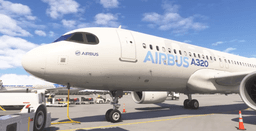
You are at FL350, 120 miles out of Palma, the STAR is in the box, and the T/D arrow slides under the aircraft symbol on the ND. You set the cleared altitude, you press something on the FCU, and the A320 does one of three things: nothing at all, an immediate dive followed by a level-off you did not ask for, or a serene descent that ends with you 3,000 feet high at the final approach fix wondering where it all went wrong.
All three are the same problem wearing different clothes. The Airbus does not have a VNAV button, and the vertical mode you get is decided by a knob that behaves differently depending on whether you push it or pull it, what your lateral mode is, and whether the FMGC has enough information to have built a descent path at all.
This is the Airbus-shaped answer. If you fly Boeing, our VNAV descent guide covers PATH and SPD and the CDU side of the same problem — and if nothing engages at all on either type, start with VNAV not working in MSFS 2024. This guide assumes the automation basics are in place and goes deep on what DES mode is actually doing.
The Airbus Has No VNAV Button
On a Boeing you press VNAV and the FMC owns the vertical path. On an Airbus there is no equivalent button, because vertical guidance is not a mode you switch on — it is a source of targets you either hand to the FMGC or keep for yourself. That is the managed-versus-selected idea, and on the FCU it is expressed physically:
- Push a knob = managed. The FMGC supplies the target from the flight plan.
- Pull a knob = selected. You supply the target from the FCU window.
For descent, that means the altitude knob does two completely different jobs:
Push the ALT knob → DES. Managed descent. The aircraft flies the vertical profile the FMGC computed from your flight plan, respecting the altitude and speed constraints on the STAR.
Pull the ALT knob → OP DES. Open descent. The aircraft goes to the altitude in the FCU window at idle thrust, holding speed with pitch, and it disregards every altitude constraint on the way down. That is not a bug — it is the entire point of the mode. OP DES is what you use when ATC says "descend and maintain FL240" and the STAR's crossing restrictions no longer apply.
One more thing that catches people out: descent is never automatic. The A320 will fly past its own top of descent all day long. Reaching T/D changes nothing by itself. The crew sets the cleared altitude on the FCU and pushes the knob, and only then does the descent begin.
What DES Mode Needs Before It Will Engage
DES is fussy about its preconditions, and this is the single biggest reason for "I pushed the knob and nothing happened." Per the FlyByWire A32NX documentation, DES engages when:
- the FCU altitude is lower than your current altitude
- NAV, LOC*, or LOC is active laterally
- you are not in the takeoff, climb or go-around phase
- the vertical flight path is valid
- you are not in TO, G/S, LAND, FINAL or GA mode
Read the second one again, because it is the one that bites. Managed descent requires managed lateral navigation. If ATC vectored you off the STAR and you pulled the HDG knob, the FMGC no longer controls where you are going — so it cannot know when you will reach the waypoints the constraints hang on, and it will not fly a path to them. Push the HDG knob back to NAV (or go direct to a downstream fix) and DES becomes available again.
The first condition is the "managed descent needs a target" problem. The FCU altitude window is not decoration. It is the floor the descent is allowed to work down to, and it must be below you before the push means anything. Leave FL350 in the window at FL350 and the push does nothing at all.
Read the FMA, Not the Knob
You do not confirm the mode by remembering what you pressed. You confirm it on the Flight Mode Annunciator. A normal managed descent reads:
THR IDLE / DES / NAV
If the second column says OP DES, you are in open descent and the constraints are being ignored. If it says V/S, something reverted or you pulled the V/S knob. If the third column says HDG, DES will not engage no matter what you do with the altitude knob.
The MCDU-side confirmation: PERF DES with ACT MODE MANAGED — the descent speed target on this page comes from the FMGS, not from anything you dialled. Rendered by our own A320 MCDU trainer.
How the Descent Profile Gets Built
The FMGC does not draw a 3-degree line down from cruise and hope. It computes the path backwards, starting from the deceleration point near the arrival and working up to top of descent, and it stitches the result together from two kinds of segment:
The idle path segment. Autothrust holds idle thrust and the AP/FD controls speed by adjusting the vertical trajectory — pitch. This is the long, efficient portion at the top of the descent. Energy is being dumped, and the aircraft trades pitch for speed to stay on the line.
The geometric path segment. Here the AP/FD flies the required vertical path and autothrust controls the speed. Thrust may come up above idle. This is what you get between two hard constraints, where the path is fixed by geometry rather than by what an idle descent naturally produces.
This construction is why the arrival matters so much. The profile is only as good as the arrival you entered. If you have not selected a STAR and an approach, there are no crossing restrictions in the flight plan, and the FMGC builds a path to a destination rather than a path through the restrictions you are actually going to be held to. Everything on the ND will look calm and correct right up to the point where a controller asks why you are 4,000 feet high at a fix the box never knew about.
The same applies to a discontinuity sitting between the end of the STAR and the start of the approach. The chain that the path is computed along is broken there, and the predictions past it are not describing the flight you are about to fly. Close it — or, if it is there because of radar vectors, know that you are going to be flying that part yourself.
What a constraint looks like where the FMGC actually keeps it: VERT REV at an arrival fix with 9000 and 250 entered — these entries are the raw material the descent profile is computed from.
The descent path is built in the MCDU, so that is where the fix lives. Work through the exact page flow — hanging a crossing constraint on a fix in VERT REV, reading the managed ECON descent on PERF DES — in the Descent Setup scenario in our browser A320 MCDU trainer. No sim, no add-on, no install.
Descent Winds Are Not Optional
The FMGC treats whatever is in the MCDU as truth. Enter no descent winds and it plans the descent against a wind model that may be nothing like the one you are about to fly through. A 60-knot tailwind you never told it about means you cover far more ground for every thousand feet you lose than the path assumed, and you will spend the whole arrival above the line. Enter the forecast winds during descent preparation — the page is labelled DES WIND or DES FORECAST depending on the FMS standard your add-on models. It is thirty seconds of typing and it is the difference between a profile that works and one that quietly lies to you.
Get flight sim tips in your inbox
New guides, checklists, and tips. No spam. Unsubscribe any time.
The Yoyo: Reading Your Vertical Deviation
Once you are descending, the question is no longer "what mode am I in" but "am I on the path." The A320 answers that with a symbol on the PFD altitude scale that pilots call the yoyo, or the donut.
It is a green filled circle on the altitude scale, sitting next to the altitude that corresponds to the theoretical vertical profile computed by the FMGC. It is displayed from top of descent down to the missed approach point altitude. Because it lives on the altitude tape, you read your deviation directly off the scale: the range is about ±500 feet, with each graduation worth 100 feet.
- Donut above your altitude reference — the profile is above you. You are low.
- Donut below — the profile is below you. You are high, which is the failure mode you will actually meet.
If the deviation exceeds ±500 feet the symbol stays parked at the range limit and changes to a half-filled circle — at which point the PFD has stopped telling you how high you are, and you go to the PROG page, which displays the exact vertical deviation as a number in feet.
Get in the habit of glancing at the donut every thirty seconds through the descent. A 200-foot deviation that you catch early is a touch of speedbrake. The same trend ignored for four minutes is a pegged half-donut and a conversation with a controller.
What the Aircraft Does When It Falls Behind
When you start drifting above the path, the FMGC does not immediately give up. In managed speed, a target speed range is displayed as magenta bars on the PFD speed band, and the aircraft is allowed to move within that range to fix the problem. Above the profile, the speed increases toward the upper margin — going faster steepens the idle descent, which is how it claws back the path.
But there is an end to that. Once the speed reaches the upper limit, the aircraft holds that speed and simply deviates from the profile. The automation has run out of the only tool it owns. From that moment you are getting further above the path every second, and nothing will change until you add drag.
MORE DRAG (and Why It Is Not Called DRAG REQUIRED)
That is the point at which the A320 asks for help. The message is MORE DRAG, and it comes up on the PFD and the MCDU, and stays there for as long as more drag is still required.
If you have come from the Boeing world you may be waiting for DRAG REQUIRED — that is the 737's CDU scratchpad message for the same condition, and it is not what an Airbus says. Same physics, different word, different place on the flight deck.
The response is simple and it is manual: the FMGC does not deploy the speedbrakes for you. Standard practice is to extend about half speedbrake and leave it out until the message clears and the donut comes back toward centre. On the A320, speedbrake in the descent is an ordinary energy-management tool, not an admission of failure. Use it early and use it in small amounts.
Two things worth knowing. First, the speedbrakes retract automatically if an inhibiting condition occurs — selecting flaps FULL is one of them — so do not plan an energy recovery that depends on speedbrake still being available deep into the configuration. Second, MORE DRAG is not modelled in every add-on: the FlyByWire A32NX documentation states it is not yet implemented there, while Fenix users discuss the message on the forums routinely. If your aircraft never shows it, that is a limitation of the model, not proof you were on profile — watch the donut instead.
TOO STEEP PATH AHEAD
Sometimes the FMGC works out in advance that a piece of the arrival is not flyable. A segment between two constraints is classed as TOO STEEP PATH when the FMGS predicts it cannot be flown at the planned speed even with half speedbrake extended. You get TOO STEEP PATH AHEAD on the MCDU scratchpad, and TOO STEEP PATH on the F-PLN page.
It is usually the fingerprint of a constraint pair that asks you to lose altitude and speed at the same time — a low crossing restriction followed immediately by a speed reduction.
The important operational detail is what happens next. When the aircraft crosses the first waypoint of the too-steep segment, the system computes a new, flyable descent profile with an idle segment — and because the profile it is measuring against has just changed, the V/DEV jumps. If you see the donut leap several hundred feet for no apparent reason, this is very often why. Nothing broke. The aeroplane is now measuring you against a different line.
Plan for that segment with drag before you reach it rather than reacting to the jump.
EXPEDITE: The Big Red Button
When you are genuinely, badly high — ATC held you at cruise level twenty miles past T/D, say — there is EXPED on the FCU.
In EXP DES the aircraft targets 340 knots or M .80, maintained with pitch, and autothrust sets idle. That produces a very steep descent, and it does exactly what it says on the tin.
It also, and this is the part people forget, disregards speed constraints, altitude constraints and the speed limit. Every restriction the STAR gave you is now invisible to the automation. EXPED is a tool for getting altitude off the aircraft in clear airspace when you have decided the constraints no longer apply — usually because you have been given a descent clearance that supersedes them. It is not a way to catch a profile you are meant to be flying.
Get back on profile and get out of it: reset the FCU altitude appropriately and push the knob to return to managed descent.
The Three Failure Modes You See on the Forums
"The plane won't descend"
Work down this list in order:
- Is the FCU altitude below you? No lower altitude, no descent. This one accounts for more forum threads than everything else combined.
- Are you in NAV? DES requires an active managed lateral mode. In HDG you will not get it.
- Did you push, or did you pull? Check the FMA rather than your memory.
- Are the thrust levers in the CLB detent? After thrust reduction the levers live in CL for the entire flight until final approach, and that is what leaves autothrust active with idle-to-climb authority. Levers out of the detent — a very common consequence of a badly calibrated hardware throttle, and the actual root cause in one long-running Fenix "cannot descend" thread — and the whole managed-thrust picture changes.
- Have you actually reached T/D? Push before it and the aircraft does not sit and wait: it starts down immediately at a constant vertical speed — around 1,000 fpm — to intercept the computed path from above, then steepens once it catches it.
"It dives, then levels off"
Almost always one of two things. Either you are in OP DES and it flew you straight down to the FCU altitude and captured it — no constraints, no path, just a floor. Or you pushed for managed descent before T/D, got the shallow constant-V/S intercept described above, and are watching the path capture happen. Look at the FMA: ALT armed in magenta with DES active is a normal constraint capture; OP DES is you having pulled when you meant to push.
"I am always high on profile"
This is the most common and the least dramatic. It builds slowly and it is nearly always information, not automation:
- No STAR or approach selected, so the profile has nothing to aim through.
- A discontinuity breaking the arrival chain.
- No descent winds entered, so the plan assumed a wind you do not have.
- Descent started late — every mile past T/D is roughly 300 feet you now owe.
- Reacting instead of anticipating. The donut told you at 200 feet of deviation. You looked at it at 900.
One genuinely useful lever, and one people get backwards: if you are high, select a faster speed. A higher speed steepens the idle descent, so you lose more altitude per mile. And here is the Airbus-specific subtlety — per the FCOM, if you revert to selected speed during the descent, the profile is not modified. The aircraft keeps the path it built and flies that same path at your selected speed. You are not throwing away the descent plan by touching the speed knob, which is exactly what most simmers are afraid of.
The Bottom of the Descent
The descent ends where the approach phase begins, and that transition is what puts the aircraft on approach speeds. The approach phase activates when you sequence the DECEL pseudo-waypoint in a managed lateral mode at low altitude, or when you activate it manually on the PERF APPR page and confirm.
If it never activates, managed speed never schedules down toward VAPP, and you arrive at the final approach fix fast and clean, wondering why the aircraft will not slow down. That failure is the single most common Airbus arrival mistake after the push/pull confusion — and it belongs to the approach setup rather than the descent, which is why it lives in the PERF APPR scenario rather than here.
Put It in Your Hands
Reading about DES mode gets you the vocabulary. What actually fixes your descents is building the profile correctly before you ever leave cruise, because almost every "why is it doing that" moment in the descent traces back to something that was — or was not — typed into the box an hour earlier.
Two places to start, both in the browser, no simulator required:
- SID & STAR: KPHX → KLAS — free. Get a real arrival and its constraints into the F-PLN, which is the raw material the descent path is built from.
- Descent Setup — The Crossing Constraint — hang a crossing altitude on a fix in VERT REV and watch the FMGC build the path backwards from it.
Then go and fly one. Set up an arrival with real crossing restrictions, put the forecast winds in, push the knob at T/D, and watch the donut rather than the altimeter. The moment you start treating vertical deviation as the primary instrument of the descent instead of an afterthought, the arrivals stop being a scramble.
For the wider picture on Airbus autopilot modes, see our MSFS 2024 autopilot guide; for the MCDU pages themselves, the A320 MCDU explained.