Short answer: Passive income in MSFS 2024 career mode is not passive: crew earnings equal your fleet's pay rate multiplied by the hours you flew freelancer missions in the last 24 hours, calculated once a day at midnight UTC. You need a company, at least two aircraft, crew ON for fleet aircraft and OFF for the one you fly, and funds for maintenance.
You've been grinding career mode for weeks. You've got your CPL, a decent fleet, and a company that's technically operational. Somewhere on a forum you read that you can earn money while you sleep — your crew flies missions overnight and you wake up richer.
So you set it up, go to bed, come back the next morning, and... nothing. Zero flights. Zero income. Most players spend days convinced their game is bugged before figuring out what's actually going on.
You're not alone. Passive income is the single most confusing mechanic in MSFS 2024's career mode. The game explains almost none of it, the UI is actively misleading, and the actual mechanics are counterintuitive enough that most players either give up or operate on completely wrong assumptions for months.
If you're still getting your bearings with career mode in general — licences, money management, the scoring system — read the full career mode guide first. This guide assumes you already know the basics and want to set up a proper passive income operation.
A word of caution: MSFS 2024 career mode mechanics change with patches, and Asobo doesn't always document the changes. Everything here is based on community testing, re-checked in September 2026 against the Sim Update 6 release notes (1.8.14.0, August 2026) — which changed mission payouts, abort handling and Employee Mode filtering, but published nothing that alters the crew or passive income systems below. Sim Update 4 did rebalance aircraft prices, so treat any credit figure as an order of magnitude rather than a fixed price list. If something stops matching your in-game experience, check the forums — the mechanics may have changed again.
Affiliate disclosure: This guide contains affiliate links. If you purchase through these links, SimTuts earns a small commission at no extra cost to you. We only recommend products we genuinely believe improve the flight sim experience.
What "Passive" Income Actually Means (It's Not What You Think)
Here's the thing nobody tells you upfront: passive income in MSFS 2024 isn't truly passive.
The name is misleading and it's sent thousands of players down the wrong path. Your crew doesn't just fly on their own while you binge Netflix. The amount of passive income you earn scales directly with how much time you spend actively flying freelancer missions. The formula, simplified:
Passive Income = Pay Rate of Your Fleet Aircraft x Time You Spent Flying Freelancer Missions in the Last 24 Hours
Read that again. More hours in the cockpit yesterday means more crew income today. Fewer hours means less. Zero hours means zero passive income. Full stop.
Think of it like this: your active flying time is the seed. Your fleet size is the multiplier. Without the seed, the multiplier does nothing.
Why This Changes Everything
The strategy shifts completely once you understand this. Passive income isn't about setting up a fleet and walking away — it's about building a fleet that amplifies the value of time you already spend flying. A player who flies three hours a day with 10 crewed aircraft and a player who flies one hour with 30 do roughly the same business — except the first one spent a fraction as much capital to get there, and has a fraction as many aircraft to maintain.
The players posting eye-watering daily figures are also flying for hours every day. One who runs 50 sightseeing aircraft reported around 4 million credits from a single 8-hour session left running while they were at work. The passive income is a bonus on top of active play, not a replacement for it.
The Real Benefit
Even though it requires active flying, passive income is still enormously valuable. Without it, one hour of flying earns you whatever that one mission pays. With a well-configured fleet, that same hour earns you the mission pay plus a multiplied amount across every crewed aircraft you own.
Your time in the cockpit becomes worth several times more, and how many times is simply how many aircraft you crewed. It doesn't let you earn while you sleep. It lets you earn far more while you play.
Prerequisites: What You Need Before Any of This Works
You can't just flip a switch. There are several things that need to be in place first, and missing any single one of them means zero crew flights. Most players learn these the hard way.
1. A Company
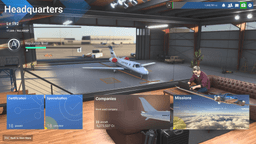
You need to have founded a company in career mode. Not the same as just having a pilot career — companies are a separate system you unlock after reaching a certain career level and accumulating enough capital.
To found one:
- Open the Career menu and navigate to the Company section
- You'll need starting capital, and how much depends entirely on the company type — a Flightseeing company is around 1,000 credits, a Cargo Transport company around 10,000, and a Charter Service company around 25,000. The larger specialisations run far higher. Check the price in-game rather than budgeting from any list, including this one
- You also need enough credits for the company and for at least one aircraft that company can fly, before the game will let you buy the company at all
- Choose a company type (more on this later — it matters)
- Name your company and confirm
Once it exists, you get access to fleet management, crew hiring, and the passive income system.
2. At Least Two Aircraft
Your crew can't fly the aircraft you're currently using. Sounds obvious, but it trips people up constantly. If you own exactly one aircraft, your crew has nothing to fly because you're always "in" that aircraft as far as the game's concerned.
Minimum two. One for you, at least one for your crew. In practice, you want significantly more — but two is the floor.
3. Active Flying Time
As covered above: you need to actually fly freelancer missions, and specifically to be in the air. Players who have tracked it report the clock runs on time airborne — sitting in menus, sitting on the ramp, and Free Flight all count for nothing. One puts it bluntly: fly a three-hour route in thirty minutes of actual air time and you earn thirty minutes of passive income.
4. Sufficient Company Funds
Your company needs operating capital. Crew flights consume fuel, incur maintenance costs, and generate operating fees. If the company account is empty, crew flights won't generate.
Keep a working buffer of credits rather than spending down to zero — a single unexpected engine repair can run into the hundreds of thousands, and a fleet that can't be repaired stops earning. More buffer is better as your fleet grows.
5. Crew Toggle Set Correctly
This trips up more players than anything else. It gets its own section below. The short version: crew ON for fleet aircraft that should generate income, crew OFF only on the aircraft you personally fly.
The Setup Checklist
Before troubleshooting why your passive income isn't working, verify all of these:
| Requirement | How to Check |
|---|---|
| Company founded | Career > Company section exists |
| 2+ aircraft in fleet | Fleet management shows multiple aircraft |
| Crew toggle set correctly | Crew ON for fleet aircraft, crew OFF for your plane (see section below) |
| Company has funds | Enough credits on hand to cover a surprise repair |
| You flew freelancer missions recently | You were airborne on freelancer missions in the last 24 hours (not menus, not Free Flight) |
| You logged out before midnight UTC | Exited the game completely before the cutoff |
If any of these are missing, passive income will show zero.
The Crew Toggle: ON for Fleet, OFF for Your Plane
This trips up more players than anything else in the passive income system. The rule is actually straightforward once you know it:
Set crew to ON for aircraft you want generating passive income. Set crew to OFF only on the aircraft you're personally flying.
The logic makes sense once you think about it — crew ON means "this aircraft has a crew assigned to fly it." Crew OFF means "no crew, I'm flying this one myself." Your fleet aircraft need crews to generate income. Your personal aircraft doesn't, because you're the pilot.
Multiple community sources say the same thing. The community career-mode wiki puts it as "Assign Pilot = On for aircraft you own to earn passive income while you fly other missions," and the most-cited Steam profitability guide opens with "Enable 'Crew - on' for an aircraft to generate passive income." Asobo has published nothing official on it either way — this is reverse-engineered by players, not documented by the developers.
One useful nuance from those same sources: the hard rule is only that crew can't fly the aircraft you are currently in. Some players simply leave crew ON for every aircraft they own and let the game exclude whichever one they're flying, and report it working fine. Setting crew OFF on your personal aircraft is the tidier version of the same thing, not a separate requirement.
What to Actually Do
- Set crew ON for every aircraft in your passive fleet. These are the planes your crews will fly to generate income.
- Set crew OFF on the aircraft you're actively flying. The game can't crew an aircraft you're using.
- Check passive income after a full cycle (past midnight UTC).
- Keep notes. The mechanics can change with patches.
Some players report inconsistent results — possibly game version differences, platform differences (PC vs Xbox), or patch-related changes. If nothing is generating, the far more likely culprits are the two below: you weren't logged out at midnight UTC, or you weren't actually airborne on a freelancer mission.
The Honest Truth
This mechanic is undocumented by Asobo and has changed behaviour across patches. The crew ON for fleet / crew OFF for your plane setup is backed by the weight of community evidence, not by anything official. If something different works in your game, use that. Track results over several cycles rather than following any guide blindly — including this one.
Get flight sim tips in your inbox
New guides, checklists, and tips — no spam. Unsubscribe any time.
The Midnight UTC Cutoff
This is the second most important thing to understand, and the game tells you absolutely nothing about it. Most players discover this by accident after noticing income only appears on days they stopped playing early.
Crew earnings are calculated once per day, at midnight UTC. Not midnight your local time. Midnight UTC. In a few common zones, that's:
- 4:00 PM PST / 5:00 PM PDT (previous day, US Pacific)
- 6:00 PM CST / 7:00 PM CDT (previous day, US Central)
- 7:00 PM EST / 8:00 PM EDT (previous day, US Eastern)
- 12:00 AM GMT (same as UTC)
- 1:00 AM CET / 2:00 AM CEST
- 9:00 AM JST (next day)
Here's the practical part: the standing community advice is to have the game closed when the clock hits midnight UTC. The most-cited Steam profitability guide puts it plainly — "Money is added to balance every day at 00:00 UTC (midnight London time). To receive income, ensure the game is turned off at that time and just launch it later."
You don't appear to lose anything by being online. Players who fly through 0000Z report the payout rolling over and arriving with the next day's, two days at once. But if you want the credits to land tonight rather than tomorrow night, be logged out.
For European players who play evenings and log off around midnight local time — you're probably fine. The UTC cutoff happens while you're online or just after, and the next calculation fires 24 hours later when you're asleep or at work.
US East Coast? The cutoff falls at 7 PM EST (8 PM EDT in summer). West Coast players have it worst — 4 PM PST (5 PM PDT), right when many people start their evening gaming session. Playing straight through it isn't fatal, but it does push that day's credits into tomorrow's payout, which makes tracking your daily numbers confusing.
How the Timing Works in Practice
The calculation isn't instant. Players on the main forum thread suggest waiting 10-15 minutes past midnight UTC before logging back in, to let the server-side processing finish. Give it half an hour either side and you'll never have to wonder.
A typical cycle:
- You play career mode during the day or evening, flying freelancer missions
- You log out completely (not just the career screen — close the game)
- Midnight UTC passes while you're offline
- The game calculates crew flights based on your recent flying time
- You log back in and check company finances — crew earnings (minus costs) appear
If you log in and see "0 flights completed" in the crew report after verifying all the prerequisites, the midnight UTC timing is almost certainly the culprit.
Flying Through Midnight UTC
If you happen to be mid-mission when midnight UTC hits, your passive income may be delayed. Community reports suggest the payout for that day gets bundled with the next day's. Both days arrive together after the following midnight UTC cycle.
You don't lose the income. But it can be confusing if you're tracking daily earnings and see a zero followed by a double payout.
The 24-Hour Cycle
One calculation per day. You can't earn passive income twice by logging out and back in. The system resets at midnight UTC and processes once.
If you're away for multiple days — say a weekend trip — the calculation runs each midnight UTC while you're offline. You'll come back to multiple days' worth of crew earnings. But remember, passive income scales with active flying time. If you weren't flying those days, the daily payouts will be minimal or zero.
How Passive Income Scales
Now that you understand the mechanics — active flying generates the seed, your fleet multiplies it, payout happens at midnight UTC — let's talk numbers.
Per-Aircraft Economics
A few benchmarks that come from players posting their actual company statements rather than from estimates:
- Cessna 172: one player's fleet report shows a crewed C172 earning 102,940 credits for 5 hours 43 minutes of the owner's flying — about 18,000 credits per hour. Another player on the same thread puts it at "about 20k per hour for a C172." Call it 18-20k/hr gross.
- Single-engine sightseeing aircraft (purchase price around 400,000 credits): around 8,000 credits per hour net, with maintenance already taken off.
- Scale check: one player running 50 sightseeing aircraft reported roughly 4 million credits from a single 8-hour session left running while they were at work. At the top end, a player with 116 Boeing 737s and one of everything else reported around 2.3 billion credits per 25-hour period — and added that without skipping flights, they barely break even after maintenance.
These are per aircraft, per hour of your active flying time. Fly three hours with five C172s in your fleet, and each of those five generates income based on your three hours.
One caveat worth knowing before you plan a marathon session: the Steam profitability guide's author notes that hourly income appears to drop the longer a single session runs — that two hours a day may pay better per hour than eight in one sitting. Eight hours still earns more in total; it just earns less per hour. Treat that as an observation, not a measured rule.
The Efficiency Curve
Here's the insight that shapes the entire fleet strategy: cheaper aircraft return far more, relative to what you paid for them.
Two players independently measured this across their fleets when SU4 rebalanced career prices, and both landed in the same place: hourly passive income runs on a sliding scale from roughly 2.2% of purchase price per hour at the cheap end down to about 0.7% at the most expensive, and it's predicted almost entirely by what the aircraft cost.
| Aircraft | Measured hourly return (% of purchase price) | Payback |
|---|---|---|
| Cessna 172 Skyhawk | ~2.1-2.2% | ~46 hours |
| Cessna C400 Corvalis TT, Draco X | ~2.2% | ~46 hours |
| Cessna 208B Grand Caravan | ~1.5% | ~65 hours |
| Business jets around the 8M mark (CJ4) | ~1.2-1.3% | ~80 hours |
| Boeing 737 MAX | ~0.7% | ~137 hours |
The worked numbers behind two of those rows: a C172 at 550,800 credits paid 12,021 credits per hour (2.18%), and one at 540,000 paid 11,587 (2.1%). A C208 Grand Caravan at 4,794,000 new returned 74,678 per hour, about 1.56%.
The 737 MAX earns the most in absolute terms of any aircraft in the game — 718,432 credits per hour, the highest rate measured — and is still the worst investment on this table, because 718,432 against a purchase price near 99 million is 0.7% and a 137-hour payback.
Note the two C172 figures above are lower than the 18-20k/hr reports in the previous section. That's what a year of patches does. Take the ratios as durable and the absolute credit figures as a snapshot.
Wear doesn't rescue the expensive aircraft either. Components wear at roughly 1% per flight hour regardless of aircraft (some at 2-3%), so a big airframe doesn't wear slower — its parts just cost vastly more. A single 737 engine repair was reported at 8 million credits, and as much as 40 million on a neglected crewed aircraft.
Why 200 Cessnas Beat One 737
Buy Cessnas. Lots of them.
Each aircraft in your fleet generates passive income independently. The game doesn't care that you have 50 identical Cessnas — each one is treated as a separate entity multiplying your active flying time into crew earnings.
The most-cited Steam profitability guide for career mode states the conclusion in one line: "It's more profitable to buy 200 Cessna Skyhawks than 1 Boeing 737 MAX."
Someone has actually run that comparison. Spend 99 million credits — one 737 MAX — on Cessna C400 Corvalis TTs instead and you get roughly 165 aircraft earning about 2,137,740 credits per passive hour, against the single 737's 718,432. Same money, near enough three times the income.
The Part Everyone Skips
The Steam guide's author adds the caveat in the same breath: "consider whether you're ready to repair all 200 Cessna Skyhawks after 30 flight hours."
That is not a footnote. There is no bulk maintenance in career mode, so a 165-aircraft fleet means 165 aircraft to inspect and repair by hand, one at a time, and it's markedly worse on Xbox. A player running four 737s and 500 million credits in the bank makes the opposing case bluntly: it's easier and quicker to maintain four planes than fifty Cessnas, which means more of your evening spent flying — and flying is what generates the income in the first place.
So the honest version of "200 Cessnas beat one 737" is: per credit invested, absolutely; per hour of your life, it depends. The cheap fleet wins on paper and loses in the menus. Somewhere between 10 and 25 aircraft is where most players find the two curves cross.
Why the Game Doesn't Penalize This
Each aircraft gets its own independent calculation, so adding aircraft adds income — there's no visible penalty on the 20th Cessna versus the 2nd. Which feels like an oversight honestly, but I'm not complaining.
Costs scale too. More aircraft means more maintenance, and more clicking. Cheap aircraft stay ahead because their parts are cheap, not because they wear more slowly — wear rates are broadly the same across the fleet.
The Optimal Fleet Composition
Based on community testing, the optimal passive income fleet looks something like this:
-
Bulk of fleet (70-80%): Cheap stuff. Cessna 172s, other low-cost single-engine aircraft, cheap helicopters. These are your money printers. Modest amounts individually, massive amounts collectively, and they pay for themselves almost immediately.
-
Mid-tier (15-20%): Turboprops and small jets. Cessna 208B Grand Caravans, Vision Jets, PC-12s. Better absolute earnings than the Cessnas and useful aircraft to actually fly — but temper expectations on the passive side. One player notes their Vision Jet costs twice what a C172 does and "doesn't earn much more than the C172." (The community wiki currently advises steering clear of the King Air 350i, ES-30 and Saab 340 in career mode entirely, for reasons that have nothing to do with income.)
-
Premium (5-10%): Jets and airliners. Honestly, these are as much for prestige and personal enjoyment as for income. They earn well in absolute terms but the ROI is the lowest in your fleet. Buy them because you want them, not because they're efficient.
-
Your personal aircraft: Whatever makes you happy. Keep it out of the crew pool. Its job is fun, not profit.
Maintenance: The Silent Profit Killer
Every crew flight causes wear, and maintenance costs get deducted from your earnings. Managing this efficiently makes a real difference to your bottom line.
Delegated vs Manual Maintenance
You can handle maintenance manually (drill into each component and repair what actually needs it) or delegate it to the game. Delegated is two clicks and adds fees on top of the repair.
The worked example a 150-aircraft operator gives on the forums: a 200,000-credit engine repair costs 250,000 delegated — a 25% premium on that job, for the sake of two saved clicks. Their rule of thumb is to delegate only cheap items (landing gear, battery, small parts) and always do engines, hull and flight control surfaces by hand.
Delegated maintenance also tends to repair early, replacing parts that still had plenty of life in them. On a large fleet that habit costs more than the surcharge does.
When to Repair
Not as early as you think — and the reason is not what most guides claim.
A component costs the same to repair at 50% health as it does at 10%. Price doesn't scale with wear. It only jumps once a part goes "Out of Order." So repairing early buys you nothing except a bigger bill per flight hour of use.
And your crews don't care either: the same operator reports that "the crew will not care about the status of the aircraft as long as nothing is out of order." There is no 50% cliff where income tapers off. What does happen, per the Steam profitability guide, is binary — if an aircraft is too worn out, the crew simply won't fly it until you repair it.
The practical approach: run components well down, then batch-repair before anything goes Out of Order. Scheduled maintenance checks come due every 25 flight hours, and the community wiki's guidance is that unless you've landed hard or overstressed something, checks every 12-16 hours are often enough.
The Maintenance Math
I could not find a reliable, sourced figure for what percentage of gross crew earnings maintenance consumes across a fleet — the numbers players quote vary enormously with aircraft type and how disciplined they are about repair timing, and I'm not going to invent an average.
What is well-established is the shape of it:
- Cheap aircraft win on parts cost, not wear rate. Components wear at roughly 1% per flight hour (some 2-3%) more or less regardless of what they're bolted to. A C172's replacement parts are trivially cheap; a turbine's are not.
- Delegating costs about 25% extra on the jobs you delegate, plus whatever it wastes repairing things early.
- Repairing late is free money, right up until a part goes Out of Order and stops the crew flying.
Optimal Passive Income Setup: Step by Step
Here's how to set this up from scratch. I'd recommend doing exactly this — even if you've already got a fleet, resetting your approach around these steps tends to fix most issues.
Step 1: Found Your Company
If you haven't already, found a company. The community wiki's recommended first company is Cargo Transport (around 10,000 credits) paired with the Cargo Transport - Light specialisation, and it specifically warns against starting with Flightseeing despite the tempting ~1,000-credit price — the missions don't pay enough to fund anything.
Remember the game won't sell you a company unless you can also afford an aircraft that company can fly. Budget for both, plus a repair buffer on top.
Step 2: Buy Your First Crew Aircraft
Buy a cheap aircraft specifically for crew operations. The Cessna 172 is the obvious choice — cheap to buy, cheap to maintain, fastest ROI in the game. Don't start with something expensive. You're testing the system, not optimizing it yet.
Step 3: Configure the Crew Toggle
Set the crew toggle to ON for this aircraft — it needs a crew assigned to generate passive income. Set crew OFF only on the aircraft you're personally flying.
Step 4: Fly Some Freelancer Missions
Go fly. The passive income system needs your flying time as input. Spend at least an hour or two on freelancer missions to seed the calculation for the next cycle.
Step 5: Log Out Before Midnight UTC
Check the current UTC time on your phone. Make sure you're completely logged out of MSFS 2024 at least 30 minutes before midnight UTC. Set an alarm if you have to.
Step 6: Check Results the Next Day
Log back in after midnight UTC has passed. Navigate to company finances or the crew report. You should see completed flights and earnings.
If you see zero, work back through the prerequisites before blaming the toggle: were you actually airborne on a freelancer mission (menus, Free Flight and sitting on the ramp don't count), and were you logged out at midnight UTC? Those two account for most zeroes. Give it another full cycle and compare.
Step 7: Scale Gradually
Once you've confirmed it works:
- Buy 2-3 more cheap aircraft
- Configure crew toggles the same way that worked in your test
- Keep flying freelancer missions regularly
- Monitor daily net income (earnings minus costs)
- Reinvest profits into more aircraft
Repeat until you hit your target income level.
Step 8: Optimize Over Time
As the fleet expands:
- Track which aircraft types give you the best returns
- Do engines, hull and control surfaces manually; delegate only the cheap items
- Run components down rather than repairing early — the price is the same until a part goes Out of Order
- Add some mid-tier aircraft for variety and higher per-flight payouts
- Keep your personal aircraft separate from the crew fleet
Costs That Eat Your Passive Income
Passive income isn't free money. Every crew flight has costs, and if you're careless, those costs can exceed your earnings.
Maintenance (Covered Above)
The biggest ongoing cost, and the only one that grows with fleet size. How much it takes off the top depends far more on what you're flying than on any published percentage — cheap airframes, cheap parts. Delegating adds roughly a quarter to the jobs you delegate.
Insurance and Operating Fees
Insurance is the one cost that doesn't scale with fleet size the way you'd fear, though the community isn't perfectly agreed on the detail.
The career-mode wiki states it flatly: "Insurance is not charged on planes earning passively. You pay only for the plane you are flying," and elsewhere, "You pay only for hours you personally fly." Against that, players posting their statements do show an insurance line alongside their passive income, and the Steam profitability guide advises there is "no reason to use insurance better than Basic for planes you use only for passive income and do not actively fly" — which reads as though something is being charged.
The safe practical position, and one both sources agree on: carry good insurance on the aircraft you personally fly, and set your crewed fleet to Basic. Whatever the exact rule, that combination costs you almost nothing and covers the expensive risk, which is you bending your own aeroplane.
Maintenance and wear definitely do apply to the passive fleet — crew operations cause wear, and that is the real ongoing cost of fleet-building.
The main risk with idle aircraft is maintenance wear from crew operations and the opportunity cost of capital tied up in a plane that isn't earning efficiently.
The Danger Zone
Since passive income only generates when you're actively flying, periods of not playing simply mean no earnings — and, because wear accrues per flight hour rather than per calendar day, a fleet you aren't flying behind isn't quietly draining you either. The real risk is accumulated maintenance wear from crew operations eating into margins over time, and it lands hardest on expensive airframes whose parts cost a fortune to replace. If you notice maintenance costs outpacing earnings on specific aircraft, consider selling those underperformers rather than the whole fleet.
Common Passive Income Problems
The issues that send players to forums in frustration, and the actual fixes.
"My Crew Report Shows 0 Flights"
Most common complaint. Check these in order:
- Did you fly freelancer missions recently? No flying = no income. Non-negotiable.
- Were you online at midnight UTC? This is the cause most of the time. Check your local time against UTC.
- Is the crew toggle set correctly? Try the opposite setting. Give it a full cycle.
- Does your company have funds? Zero balance = operations halt.
- Do you have at least two aircraft? Your crew can't fly the plane you're using.
"My Passive Income Varies Wildly Day to Day"
Expected behaviour. It scales with your active flying time, so days you fly more produce more passive income the following cycle. Three hours Monday, thirty minutes Tuesday — Wednesday's payout will be much smaller than Tuesday's.
Large swings (income one day, zero the next) usually mean you were online at midnight UTC on the zero day.
"I Had Crew Flights But Lost Money"
Costs exceeded earnings. Usually means:
- Not enough active hours to generate meaningful crew income, but repair bills from earlier hours still came due
- Aircraft need maintenance and deferred maintenance penalties are inflating costs
- Delegated maintenance on a large fleet and the 25% surcharge is compounding
Fix: fly more, handle maintenance manually, make sure every aircraft is actually contributing.
"Passive Income Stopped Working After an Update"
Happens. Game updates occasionally change how the calculation works, sometimes without any documentation whatsoever. After any major MSFS update:
- Test crew toggle settings (try both ON and OFF)
- Verify passive income over 2-3 complete cycles before concluding it's broken
- Check forums and patch notes
- Be prepared to adjust your setup
Passive Income vs Active Flying: Setting Expectations
Let's be realistic about what passive income can and can't do.
The Numbers in Context
Active mission pay covers an enormous range. Employee-mode work sits low — the community wiki lists skydive runs around 5,000 credits and medevac or VIP charter around 50,000-100,000. Freelancer airliner missions in the 737 sit at the far other end, from hundreds of thousands into the millions on the best routes.
Passive income adds to that, and it adds per aircraft. Each crewed C172 is worth roughly 18,000 credits for every hour you spend airborne. Ten of them turn a three-hour session into something over half a million credits of crew earnings on top of whatever the missions themselves paid.
But a player who doesn't fly earns nothing, regardless of fleet size. The multiplier needs something to multiply.
When Passive Income Becomes Meaningful
The arithmetic is simple enough to do yourself: income is roughly (number of crewed aircraft) x (that aircraft's hourly rate) x (hours you fly airborne). Ten crewed C172s at the SU4-measured 12,000 credits an hour turn a three-hour session into around 360,000 credits of crew earnings, on top of whatever the missions themselves paid.
Two things bend that line in practice. Cheap airframes give you far more aircraft per credit, which is the whole argument for the Cessna fleet. And going the other way, the Steam guide's author observed hourly income tapering off within a very long single session — so a fleet is not a licence to leave the sim running for twelve hours and expect twelve hours of full-rate income.
For most players the practical ceiling isn't the maths, it's maintenance clicks. Every aircraft you add is another one to inspect by hand.
The Real Value
The biggest benefit isn't the raw number. It's the freedom. When your passive fleet multiplies the value of every hour you fly, you can afford to fly whatever you enjoy rather than whatever pays the most. Take that scenic bush flight. Attempt that sketchy mountain approach you've been eyeing. The fleet is working behind you, turning every minute of flight time into serious income.
Passive income doesn't let you earn while you sleep. It lets you earn dramatically more while you play.
Advanced Tips
A few things that experienced passive income operators have figured out through trial and error.
Prioritize Flying Time Over Fleet Management
Since passive income scales with active flying, the most important thing you can do is fly more. An extra hour of flying with 15 aircraft behind you generates far more income than spending that hour optimizing crew assignments or buying one more aircraft. Fly first, manage second. Always.
Start With Cessnas, Always
A full-price C172 pays for itself in about 46 hours of active flying — measured, not estimated — and your discounted first one pays for itself in a couple of hours. Nothing else in the game is close. Even if you're not sure the system is working correctly, the downside of buying a few C172s is minimal. Start there, verify income is flowing, then diversify.
Plan Around Your Time Zone
If midnight UTC falls during your typical gaming hours, you've got two options:
- Adjust your schedule slightly — stop playing 30-45 minutes before the cutoff
- Accept that you'll miss some cycles and scale your fleet to compensate
Option 1 is better for income. Option 2 is better for actually enjoying the game. Don't let the passive income tail wag the gaming dog.
Sell Aircraft You're Not Using
This is about capital, not daily fees — I found no evidence of a per-day holding charge on aircraft you aren't flying. But an aircraft whose repairs cost more than it earns is worse than dead weight, and the credits locked up in it would buy several cheap airframes that each earn independently. Sell the underperformers and redeploy the money.
The one aircraft never to sell is your discounted first one. You will not be able to replace it at that price.
Keep Records
The in-game financial reporting for crew operations is... minimal, to put it charitably. Some players keep a spreadsheet tracking daily crew earnings, costs, net income, and hours flown. Makes it much easier to spot trends, figure out which fleet configurations actually work, and calculate true ROI on expansion.
Watch for Patch Changes
Asobo tweaks career mode mechanics periodically, and passive income is one of the most frequently adjusted systems. After any significant update, test your setup over 2-3 complete cycles before assuming everything still works. Toggle settings, income rates, maintenance costs — all of these have changed in past patches.
Final Thoughts
Passive income in MSFS 2024 career mode is a genuinely powerful system buried under confusing UI, counterintuitive mechanics, and almost zero official documentation. The community has reverse-engineered most of it, but some uncertainty remains — and honestly, that's part of the charm of figuring out a system Asobo barely explains.
The core principles:
- It's not truly passive — it scales with your active flying time
- Crew toggle ON for fleet aircraft, OFF for your plane — backed by community testing; the hard rule is only that crew can't fly the aircraft you're in
- Be offline at midnight UTC or the payout rolls into the next day
- Buy Cessnas. Lots of them. Cheaper aircraft have dramatically better ROI — a fleet of 172s crushes a single 737
- Maintenance matters — delegating costs about 25% extra on the jobs you delegate, and repairing early buys you nothing because the price is flat until a part goes Out of Order
- The system changes with patches — stay flexible
Start small. Buy a couple of C172s. Fly some freelancer missions. Log out before midnight UTC. Check results. Adjust and scale from there. Within a few weeks, you'll have a fleet that makes every hour of flying worth several times what it used to be.
And the next time someone on a forum asks "why is my crew not flying?" — you'll know exactly where to point them.
More Career Mode Guides
- Career Mode Guide — licences, checkrides, career paths, and the full progression from student pilot to ATPL
- Career Mode Money Guide — company economics, the Skip Cost, when to expand, and how to stop haemorrhaging cash
- Best Aircraft Guide — ROI calculations, which planes to buy at each licence level, and the fleet-building framework
Recommended reading: If career mode has deepened your love of aviation, Skyfaring: A Journey with a Pilot by Mark Vanhoenacker is worth your time. Vanhoenacker is a 787 pilot who writes beautifully about what it actually feels like to fly for a living — the routes, the weather, the night sky at 40,000 feet. It's the perfect companion to the hours you spend in the sim.