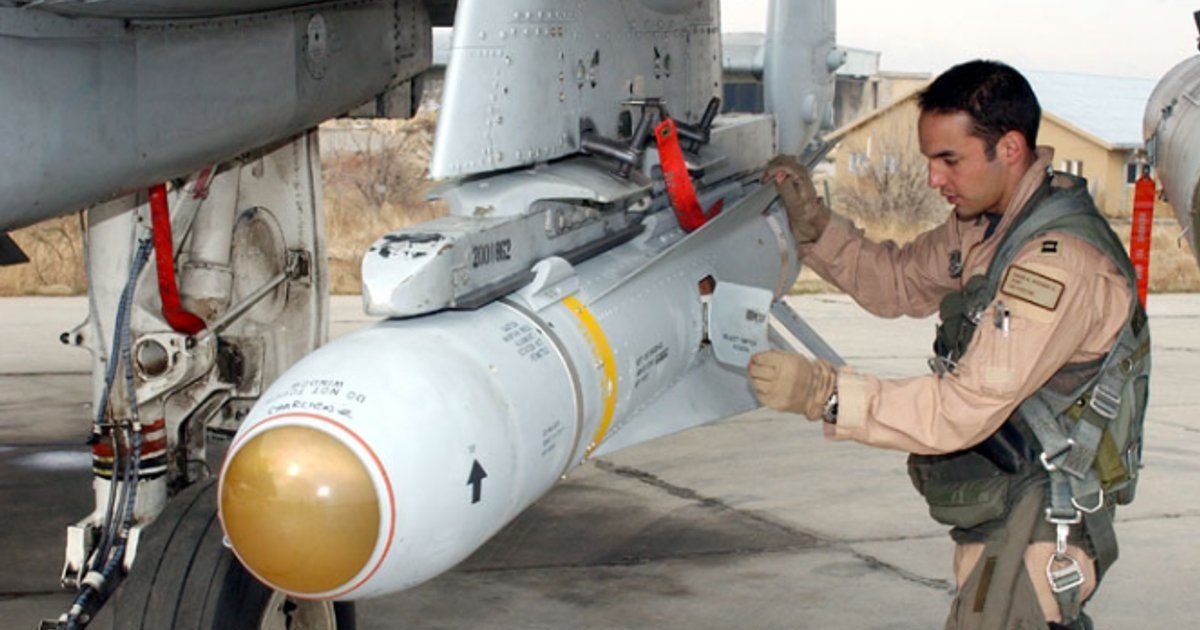
Few things in DCS are more frustrating than lining up a perfect Maverick shot, pressing the pickle button, and watching absolutely nothing happen. The missile just sits on the rail while the target drives away.
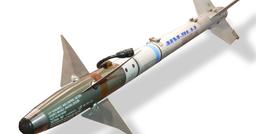
The AGM-65 Maverick is available across five DCS modules — the F-16C Viper, F/A-18C Hornet, A-10C Warthog, AV-8B Harrier, and F-4E Phantom — and each one has its own quirks. After trawling through hundreds of forum threads, community reports, and real player feedback, here are the thirteen most common reasons your Mavericks refuse to fire, ordered from the simplest checks to the more obscure gotchas.
Updated 20 Feb 2026 with correction on F/A-18C trigger vs pickle (A/A missiles use trigger on navy aircraft), plus earlier community corrections on boresighting, practical lock ranges, and the Pre-to-Vis alignment trick.
Affiliate disclosure: This guide contains affiliate links. If you purchase through these links, SimTuts earns a small commission at no extra cost to you. We only recommend products we genuinely believe improve the flight sim experience.
1. You're Pulling the Trigger Instead of Pressing Pickle
Aircraft: All
This is the single most common Maverick failure for new players, and it has nothing to do with the aircraft or the missile. In DCS, the trigger fires the gun — and on navy aircraft like the F/A-18C, it also launches air-to-air missiles (Fox 1, Fox 2, and Fox 3). But all air-to-ground weapons — bombs, rockets, and missiles including the Maverick — use a completely separate input called Weapon Release (the "pickle" button).
On a real HOTAS, the trigger is on the front of the stick and the pickle button is the red button on top. In DCS, these are two different keybinds and many players never set up the second one. If you've been firing AIM-9s with the trigger on the Hornet and expect the same button to work for Mavericks, it won't.
Fix: Open Settings > Controls, search for "Weapon Release" in your aircraft's bindings, and assign it to a button. If you only have a basic joystick, bind it to something accessible — you'll use it constantly.
2. Master Arm is Off or You're Not in A/G Mode
Aircraft: All
This one feels obvious in hindsight, but in the heat of a combat sortie — especially after switching between air-to-air and air-to-ground — it's easy to forget one of the two switches that gate all weapons employment.
Both conditions must be true:
- Master Arm switch must be in the ARM position
- Master mode must be set to Air-to-Ground (A/G)
If either is wrong, pressing weapon release will do nothing. Some aircraft give you a visual cue (an "X" through the weapon symbol, or missing HUD symbology), others just silently refuse.
Fix by aircraft:
- F-16C: Master Arm switch on the left console. A/G mode via the dogfight/missile override switch or ICP.
- F/A-18C: Master Arm on the left console. A/G on the UFC or HOTAS.
- A-10C: Master Arm on the armament panel. Select the correct weapon profile via DSMS.
- AV-8B: Master Arm to ARM. Ensure A/G master mode.
- F-4E: Master Arm to ON. Delivery Mode Knob to DIRECT.
3. The Maverick Isn't Selected as Your Current Weapon
Aircraft: All
You might have Mavericks on the jet but have a different weapon selected — bombs, rockets, or even the gun. The stores management system needs to have the AGM-65 as the active weapon before pickle will do anything with it.
Symptoms: You press pickle and a bomb drops instead. Or you see bomb delivery symbology on the HUD instead of the Maverick seeker. Or the MFCD shows a different weapon page entirely.
Fix by aircraft:
- F-16C: Cycle through weapons using the SMS page OSBs. The WPN page should show "MAV" or "AGM-65" with the seeker video.
- F/A-18C: Use the Stores page to select the Maverick station, or cycle through weapons using the weapon select hat.
- A-10C: Use DSMS to select the Maverick profile. The MAV page should appear on an MFCD.
- AV-8B: Use the Stores Management page to select the Maverick station.
- F-4E: Select the correct station on the Station Select panel and set the Weapon Selector Knob to TV.
4. You've Already Fired All Your Mavericks
Aircraft: All
After firing several Mavericks in quick succession — especially when the action is intense — it's easy to lose count. You press pickle and nothing happens because there are no missiles left on the rails.
Symptoms: The stores page shows empty stations. The Maverick page shows no seeker video or displays a "NO WPN" / empty symbology. The HUD may show no weapon delivery cues.
Fix: Check the stores page or external view. If you're out of Mavericks, you're out. In multiplayer, RTB and rearm. In single-player, you can also use the rearm menu. In the A-10C, the DSMS page shows remaining quantities per station.
5. You're Outside the Launch Envelope (Azimuth, Elevation, or Range)
Aircraft: All
Even with a locked Maverick, the weapon may refuse to fire if you're outside its launch parameters. The three constraints are:
Azimuth (off-boresight angle): The target is too far left or right of the aircraft's nose. Maverick has a limited seeker gimbal range — typically around 30 degrees either side. If you're in a steep bank or the target is behind your wing line, the missile won't fire even with a valid lock.
Elevation (dive/climb angle): You're either too steep in a dive (the missile could hit the ground before guiding) or too shallow/climbing (the seeker can't look down far enough to see the target). IR Mavericks have a limited look-down angle before the seeker hits its gimbal stop (IHBT — Inhibit, a launch constraint code shown in the HUD). At high altitude flying level, the target may be outside this cone.
Range: You're too close (minimum range — the missile needs time to guide) or too far (seeker can't acquire, or the missile doesn't have the energy to reach the target at that altitude/speed).
Symptoms: The HUD may show a "LAUNCH INHIBIT" cue, or the pickle button simply does nothing despite having a valid seeker lock. In the A-10C, "NO TRACK LAUNCH IHBT" specifically means the target is outside the seeker's elevation limits.
Fix: Manoeuvre to place the target within the launch envelope. Aim to be roughly 3-8 nm from the target, with the nose pointed in the general direction, in a shallow dive or level flight. If you're at high altitude, push the nose over to bring the target within the seeker's field of regard.
Speed management matters too. A common complaint — especially in the F-16 — is "the plane is too fast to set up a shot." The fix is simple: pull the throttle back. The Viper floats happily at 250-300 knots, and many experienced pilots go to idle or near-idle when lining up Maverick shots. The missile's rocket motor does most of the work, so you don't need to loft or fly fast. Slowing down gives you more time to find, lock, and fire — which is far more important than extra missile energy.
6. The Seeker Hasn't Warmed Up Yet
Aircraft: All (especially noticeable on cold starts)
Maverick seekers contain a gyroscope that needs to spin up to operating speed, and IR variants need to cool their detector to cryogenic temperatures. This takes approximately three minutes from when electrical power reaches the missile.
During warm-up you'll see "TIMING" with a countdown on the Maverick page, or the status will show "STBY." The seeker video will be blank or frozen. No amount of button-pressing will make the missile fire during this period.
What triggers the timer:
- A-10C: Pressing "EO ON" on the MAV MFCD page (OSB 6)
- F/A-18C: Bringing up the WPN page with Mavericks selected
- F-4E: Selecting "TV" on the Weapon Selector Knob
- AV-8B: Selecting the Maverick station (the AGM-65E needs 30 seconds; the E2 needs 90 seconds)
Fix: Wait for the countdown to reach zero. If you're starting from a cold ramp, begin the warm-up sequence early — during your ground checks or while taxiing. Air-start missions typically have the seekers already warm.
7. The Seeker Isn't Locked On Anything
Aircraft: All
The Maverick is not a point-and-shoot weapon. It requires a confirmed seeker lock on a specific target before it will leave the rail. If the seeker is looking at empty sky, featureless terrain, or hasn't been commanded to track, the missile will refuse to fire.
Common symptoms include "NO TRACK LAUNCH IHBT" on the A-10C HUD, an "X" through the MAV symbol on the Hornet, or simply nothing happening in the Viper.
Typical mistakes:
- Never uncaged the seeker (it's still in boresight mode, pointing at a fixed direction relative to the aircraft)
- Uncaged the seeker during a climb or turn, and it stabilised looking at empty sky
- Never pressed the lock command after slewing the seeker over the target
- The target has insufficient thermal or optical contrast for the seeker to track
Fix by aircraft:
- F/A-18C: Uncage the seeker (Cage/Uncage button), slew it onto the target using TDC, press TDC Depress to lock. If the seeker is looking at sky, cage it, then uncage and re-slew.
- F-16C: With the WPN page as SOI, use TMS Up Short to command a lock. Ensure the tracking gate is over the target.
- A-10C: Make the MAV page SOI, slew the seeker over the target, press TMS Up to lock. For Force Correlate mode, use TMS Aft Short to ground-stabilise, then slew until the tracking gate collapses.
- F-4E: Activate video with the trigger, use ARR to enable slewing, position over target, release ARR to lock.
8. Wrong Sensor of Interest (SOI)
Aircraft: F-16C, A-10C (primarily)
You're slewing, pressing TMS Up, doing everything right — but nothing is responding. Or worse, your commands are going to the wrong sensor entirely and you don't realise it.
In the F-16C and A-10C, HOTAS commands (TMS, DMS, slew) only affect whichever sensor is currently designated as the Sensor of Interest. If the TGP page is SOI when you're trying to work the Maverick, all your inputs go to the targeting pod instead.
How to identify SOI:
- F-16C: The active MFCD page has a highlighted border.
- A-10C: The SOI MFCD has a green diamond in the top-right corner.
Fix: Use the Sensor Select switch (castle hat on the HOTAS) or DMS to toggle SOI to the WPN/MAV page before attempting to slew or lock the Maverick. This is a step that becomes second nature once you're aware of it, but is completely invisible if you don't know the concept exists.
Bonus gotcha: The A-10C Maverick training mission has a known issue where it expects the MAV page on a specific MFCD. If the mission scripts don't match your MFCD layout, the training gets stuck. Move the MAV page to match what the instructor is expecting.
9. TGP-to-Maverick Handoff Is Misaligned (F-16C)
Aircraft: F-16C Viper (primarily)
This is the number one Viper-specific frustration and it catches even experienced pilots. When you designate a target on the TGP and try to hand it off to the Maverick, the seeker looks at the wrong spot — offset from the actual target by a significant margin.
The reason is physical: the TGP and the Maverick seeker are mounted at different locations on the airframe. Without alignment, the aircraft doesn't know how to translate "where the TGP is looking" into "where the Maverick should look." The handoff lands in roughly the right area but not on the target.
Important community note on boresighting: The formal BSGT boresight procedure (described below) has been unreliable in DCS for a long time. Many experienced Viper pilots report that it only works for some missiles on a loadout (seemingly at random), and some have given up on it entirely. Your mileage may vary — it's still worth understanding how it works, but don't be surprised if the handoff stays misaligned even after boresighting.
The Pre-to-Vis trick (recommended workaround): A more reliable method reported by the community is to simply switch the Maverick mode from PRE to VIS and back again. This forces the seeker to re-align with the TGP crosshairs. Watch the small reticle on the HUD snap into position when you do this. After switching, SOI the TGP, slew to your target, TMS Up to designate, then SOI the Maverick — it should now be looking at the same spot.
Formal boresight procedure (BSGT):
- Designate any clearly visible ground object on the TGP (a building, vehicle — anything identifiable).
- Switch SOI to the WPN (Maverick) page.
- Manually slew the Maverick seeker onto the exact same object the TGP is looking at.
- Press TMS Up to lock.
- Press the "BSGT" option that appears on the WPN page.
- You only need to boresight one missile per pylon, not every individual missile.
Boresight in the air, not on the ground. Many pilots report better results boresighting while airborne rather than on the ramp. The greater distance to the reference point reduces parallax errors that cause the alignment to be slightly off at combat ranges. Pick a clearly visible ground feature from altitude, and the geometry works out much better.
If all else fails: Skip the TGP handoff entirely. Many experienced pilots use PRE mode with manual seeker slewing, or go straight to VIS mode at shorter ranges. Make the WPN page SOI, slew the Maverick seeker directly onto the target, and lock. This bypasses the alignment issue completely.
10. Target is Out of Seeker Range or Conditions Are Too Poor
Aircraft: All
The Maverick's missile body can fly much further than the seeker can lock. Just because you're within the weapon's ballistic range doesn't mean the seeker can see the target.
Approximate lock-on ranges:
- IR seekers (AGM-65D, F, G): 8-10 nm in ideal conditions, but practically many pilots find 8 nm is the reliable maximum. 12 nm is the theoretical best-case and rarely achieved. The AGM-65D seeker in particular can struggle to lock even obvious targets at longer ranges.
- CCD/TV seekers (AGM-65H, K): 4-5 nm in ideal conditions, significantly less in poor contrast.
- Laser seekers (AGM-65E): Depends on laser designation range.
CCD seekers were designed for desert environments where optical contrast is high. On the Caucasus map with green terrain, overcast weather, or at night, they struggle badly. The seeker video may show terrain but the tracking gate simply refuses to collapse onto anything.
TGP slaving trap (especially MAVF): A very common frustration is slaving the Maverick to the TGP — you can clearly see the target on the targeting pod, but the Maverick seeker can't lock it. This happens because the TGP has a far higher resolution sensor than the Maverick's seeker head. Even in narrow FOV, the Mav simply can't resolve the same contrast the TGP shows you, especially at longer ranges. The AGM-65F is particularly susceptible because its IIR (Imaging Infrared) seeker struggles with targets that have a weak thermal signature against their background (e.g. a small boat on water, or a vehicle on a hot road).
Fix:
- Close to within appropriate lock-on range before attempting to acquire.
- Use IR variants (D, F, G) for night, overcast, or low-contrast conditions.
- Use CCD variants (H, K) primarily on desert/arid maps with good visibility.
- At high altitude, nose over to place the target within the seeker cone.
- In the A-10C, Force Correlate mode extends effective range to approximately 9 nm below 10,000 feet.
- When TGP slaving fails, try using the Maverick display directly — make the WPN/MAV page SOI, slew manually onto the target, and lock. This often works when automated handoff doesn't.
11. Laser Maverick Problems: Wrong Code, No Laser, or Beam-Riding Drift
Aircraft: F/A-18C (AGM-65E), AV-8B (AGM-65E/E2), A-10C (AGM-65E)
The laser-guided Maverick variants introduce a whole category of failures that don't apply to IR or CCD seekers. The missile needs to see a laser spot on the target, and several things can go wrong.
Common confusion — LTD does nothing for IR/CCD Mavericks: If you're firing an AGM-65D, F, G, H, or K, turning on the Laser Target Designator has zero effect. These variants use imaging IR or electro-optical seekers, not laser seekers. Only the AGM-65E and E2 use laser guidance. If you've been toggling LTD Arm trying to get a MAVF to fire, that's not the problem — check the items above instead.
No laser energy on target: The most basic failure. The TGP, ATFLIR, or TPOD is looking at the target but isn't actively lasing. You must explicitly command the laser to fire — check for "LSTD" or "LAS" indications on the targeting pod display.
Laser code mismatch: The default laser code is 1688, but if a JTAC or buddy-lase aircraft is providing the designation, they may be using a different code. The code set on the Maverick must exactly match the code being lased.
Beam-riding behaviour (AGM-65E): The AGM-65E has a known tendency to ride the laser beam rather than home on the reflected spot. If you manoeuvre aggressively (flank the target) during the missile's time of flight, it can drift off course. Maintain relatively steady flight toward the target until impact.
AV-8B E2 self-lock: The AGM-65E2's seeker can occasionally lock onto the TPOD sensor head itself (when centerline-mounted) instead of the laser spot on the ground. If the seeker image looks wrong after uncaging, recycle the weapon.
Fix: Verify laser is firing before release. Confirm codes match. Fly steady during time of flight. For the E2, check the seeker image makes sense before firing.
12. AV-8B Harrier: Nozzles, TPOD Conflicts, and Pylon Rules
Aircraft: AV-8B Harrier
The Harrier has more Maverick gotchas per square metre than any other DCS module, thanks to its unique VTOL systems and avionics architecture.
Nozzle position inhibits weapon release: If the engine nozzles are not in the full aft position (0 degrees / cruise flight), weapon release may be inhibited. Pilots who have been using nozzles for short takeoff, hover, or slow flight need to raise them back to 0 before attempting to fire any weapon. There's no warning — the pickle button just does nothing.
TPOD and Maverick are mutually exclusive (E/F variants): On the standard AGM-65E and AGM-65F, selecting the TPOD after selecting a Maverick deselects the Maverick. They cannot operate simultaneously — the Maverick video replaces the TPOD display on the MPCD. This surprises pilots used to the Hornet or Warthog workflow where you designate on the pod and hand off.
The exception is the AGM-65E2 variant, which can operate alongside the TPOD. If you need both sensors simultaneously, use the E2.
Pylon restrictions: Mavericks can only be loaded on the inner and middle pylons (stations 2, 3, 5, 6), one missile per pylon maximum.
TDC ownership is confusing: With the TPOD active, Sensor Select Forward assigns TDC Depress to the Maverick but TDC slew stays with the TPOD. With the DMT, Sensor Select Forward gives all TDC functions to the Maverick — but accidentally slewing disengages DMT slaving.
Fix: Nozzles to 0 degrees before any weapons employment. Accept the TPOD limitation on E/F variants or switch to E2. Load Mavericks only on inner/middle pylons. Take time to learn the specific TDC ownership rules.
13. Module Bugs: Mode Stuck, Last Missile Won't Activate, and MSL STEP Issues
Aircraft: F-16C (mode stuck), F-4E (last missile), multiple (MSL STEP)
Sometimes you've done everything right and the missile still won't cooperate. These are known bugs or quirks in the DCS modules themselves.
F-16C mode stuck (PRE/VIS/BORE): The WPN page mode selector sometimes becomes unresponsive — you press the OSB to change between PRE, VIS, and BORE modes and nothing happens. This appears to be related to SOI state or TGP interactions. No universal fix has been confirmed.
Workaround: Try cycling master modes (A/A then back to A/G). Try making the HUD the SOI then switching back to WPN. Try pressing the ENABLE button. If nothing works, use the Maverick seeker directly in whatever mode is available rather than relying on TGP handoff.
F-4E last missile won't activate: When carrying four AGM-65s, the fourth missile sometimes fails to power up — no seeker video, no lock capability. This has been reported since the module's early access release.
Workaround: Use the TGT/MSL REJ switch to skip to the next station. As a practical measure, load only two or three missiles, or accept that the last one may be unusable until a patch fixes it.
MSL STEP cycling: In several modules, the MSL STEP function cycles through individual missiles on a triple rack rather than stepping between stations. This can cause confusion about which missile is actually selected, especially when you're expecting to move from a spent station to a loaded one.
Workaround: Count your shots and track which stations have been fired. Check the stores page if you're unsure which missile is selected.
Quick-Reference Troubleshooting Checklist
Before you go troubleshooting exotic causes, run through this checklist in order. It covers 90% of Maverick failures:
- Is Weapon Release bound? (Not trigger)
- Is Master Arm on and are you in A/G mode?
- Is the Maverick selected as your current weapon?
- Do you still have Mavericks remaining on the jet?
- Are you within the launch envelope? (Azimuth, elevation, range)
- Is the seeker warmed up? (Wait for TIMING countdown)
- Have you uncaged and locked the seeker on a target?
- Is the MAV/WPN page SOI? (Not the TGP)
- Is the target within seeker lock range? (8-10 nm IR, 4-5 nm CCD)
- F-16 only: Is the TGP handoff aligned? (Try Pre-to-Vis switch or BSGT boresight)
- Harrier only: Are nozzles at 0 degrees?
- Laser variants only: Is the laser firing with the correct code?
- All else fails: try cycling master modes (A/A and back to A/G)
Maverick Variant Reference
Not all Mavericks are created equal. Choosing the right variant for the mission conditions can prevent half the problems on this list.
| Variant | Seeker | Warhead | Lock Range | Best Conditions |
|---|---|---|---|---|
| AGM-65D | Imaging IR | 126 lb shaped charge | ~8-10 nm | Day/night, any weather |
| AGM-65F | IR (navy) | 300 lb penetrator | ~8-10 nm | Anti-ship, armoured targets |
| AGM-65G | IR | 300 lb penetrator | ~8-10 nm | Day/night, force correlate capable |
| AGM-65H | CCD/TV | 126 lb shaped charge | ~4-5 nm | Day only, desert/clear conditions |
| AGM-65K | CCD/TV | 300 lb penetrator | ~4-5 nm | Day only, desert/clear conditions |
| AGM-65E | Laser | 300 lb penetrator | Laser dependent | Requires active laser designation |
Rule of thumb: If in doubt, use an IR variant. They work in more conditions, lock at longer ranges, and don't depend on optical contrast or laser designation. Save CCD variants for desert maps on clear days, and laser variants for when you need JTAC integration or precision against moving targets.
A note on hardware: Half the Maverick "won't fire" problems come down to fumbling the sensor/TDC steps under time pressure with a mouse. DCS is built to do all of this on the HOTAS — a Thrustmaster T16000M FCS HOTAS puts TDC slew, sensor selection, and the pickle/trigger under your fingers so you can slew, lock, and fire in one smooth flow. Head-tracking (TrackIR 5 or a VR headset like the Meta Quest 3) keeps the target and your MFDs in view at the same time.
Still struggling with Mavericks after running through this list? Book a session with one of our experienced DCS tutors. A tutor can watch your workflow in real time, spot exactly where the process is breaking down, and walk you through the fixes—often in a single session.