You generated a perfect OFP in SimBrief, hit Import in the MSFS 2024 EFB, and... nothing. Or worse — only your departure and arrival airports loaded, with a beautiful direct magenta line straight through three FIRs.
This is one of the most reported issues since the MSFS 2024 EFB picked up SimBrief integration in late 2024. The good news: almost every failure mode falls into one of five buckets, and the fixes are well documented. This guide walks through each symptom, the actual root cause, and the exact steps to recover.
If you've never set up the SimBrief → EFB workflow before, start with the companion guide How to Import SimBrief into MSFS 2024 — FMC Setup Guide first. This page assumes you've got it working at least once.
How is SimBrief import supposed to work in MSFS 2024?
In MSFS 2024, SimBrief Dispatch ships as an app inside the in-game EFB (tablet). You don't need a separate browser tab, and the SimBrief part of the workflow is free — a Navigraph subscription only matters if you want the current AIRAC cycle instead of the free older one.
The normal flow is:
- Open EFB (TAB (default keybind) or toolbar icon).
- Open the SimBrief Dispatch app.
- Either log in with your SimBrief account or use a SimBrief account already linked to your Navigraph login.
- Generate or select an OFP.
- Use the button that sends the plan to your aircraft's avionics. The EFB pushes the route into the sim's flight plan system — sometimes automatically, sometimes via an aircraft-specific request step (INIT REQUEST on an Airbus, CO ROUTE request on a Boeing).
If your account is linked to Navigraph, you don't have to type your Pilot ID anywhere in the default EFB. Third-party aircraft are a different story — most of them keep their own SimBrief Username field inside their own EFB, and that's where the majority of "Import does nothing" problems start.
Why does the SimBrief Import button do nothing?
You press Import. No spinner, no error, no plan. Or you get a "SimBrief Plan Requested" message that never resolves.
Most common causes:
- Account not linked. Either your SimBrief Pilot ID/Username isn't entered in the third-party aircraft's EFB, or your SimBrief account isn't linked to your Navigraph account in the default EFB flow.
- Wrong field used. Several aircraft (PMDG especially) want your SimBrief Username, not the 6-7 digit Pilot ID number. Other aircraft want the opposite. Read the aircraft's own docs.
- No OFP generated yet. You opened an old saved plan but never pressed "Generate OFP" for this session. The import endpoint pulls the latest generated plan, not a draft.
- Expired/stale session. Log out and back into SimBrief.
- Sim Update broke the SDK. Sim Updates occasionally break the EFB's SimBrief integration by changing the underlying SDK APIs. When this happens, Navigraph typically ships a patched SimBrief EFB App within days — update it via the Navigraph Hub. Always check the Hub for a SimBrief EFB App update after every MSFS patch.
Fix sequence:
- Open Navigraph Hub, update the SimBrief EFB App and any Navigraph addons.
- Restart your PC (not just the sim).
- In SimBrief Dispatch, generate a brand-new OFP.
- In the EFB, make sure your account is linked / the right ID is entered.
- Try Import again.
Get flight sim tips in your inbox
New guides, checklists, and tips — no spam. Unsubscribe any time.
Why are waypoints missing after importing from SimBrief?
The classic failure: departure and arrival sit on the map, and there's a single straight line between them. None of the intermediate fixes from your SimBrief plan are there.
This was widely reported on the default G3000 (Cirrus Vision Jet et al.) and on various tubeliners. The root cause is a mismatch between what SimBrief planned and what the sim's nav database can resolve at import time:
- AIRAC mismatch. SimBrief generated the plan against AIRAC cycle X; your sim is on cycle Y. Waypoints renamed or removed between cycles silently get dropped.
- Custom SimBrief waypoints. SimBrief sometimes inserts named pseudo-fixes (TOC, TOD, lat/long fixes, airway entry points) that MSFS's facility database doesn't recognise.
- Nav data package not registering. In MSFS 2020, putting
navigraph-nav-baselast in the package load order was a common fix, but MSFS 2024's Content Manager doesn't expose user-facing package ordering. If import issues persist after updating, try a clean reinstall of the Navigraph navdata package via the Navigraph Hub. - Map not initialised. Some users report that zooming into a regional view of the departure airport before pressing Import prevents the EFB from handing a partially-resolved plan to the avionics.
Fix sequence:
- Open Navigraph Hub, disable then re-enable all Navigraph addons. This forces a clean re-link.
- If issues persist, try a clean reinstall of the Navigraph navdata package via the Hub.
- Make sure the SimBrief OFP you generated uses the same AIRAC cycle your sim has installed.
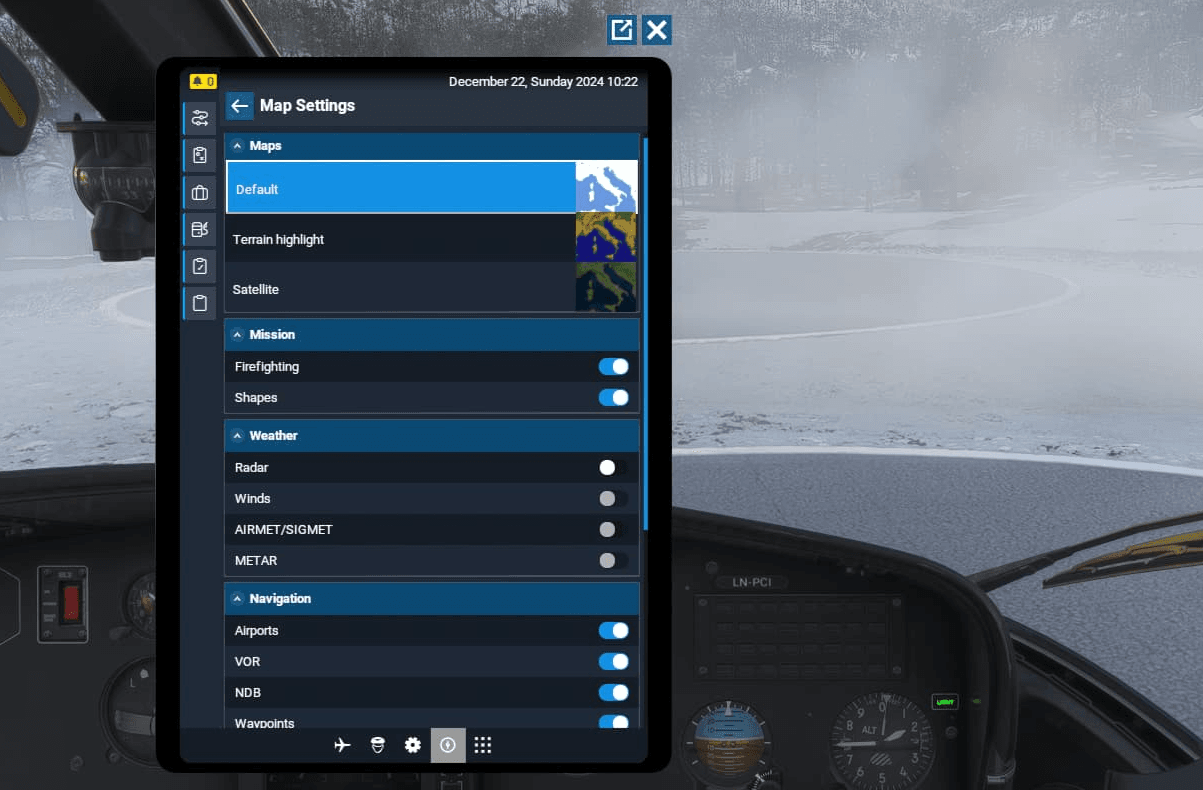
- Some users report that zooming to a regional view of your departure airport in the EFB world map before opening SimBrief Dispatch helps — try this if other steps haven't resolved it.
- Import. Verify waypoint count matches your OFP before you start taxiing.
If a specific waypoint still won't resolve, edit the SimBrief route string and replace it with the nearest valid airway entry — then re-import.
Why is the SimBrief plan in the EFB but the FMC is empty?
The route is visible on the EFB map. The FMC is empty. This is almost never an EFB bug — it's an aircraft-specific loader step you haven't done yet. Every serious add-on aircraft has its own flight plan loader, and the EFB plan is the source, not the destination.
PMDG 737/777 (MSFS 2024)
PMDG's tablet pulls SimBrief independently of the default EFB. You need to:
- Generate the OFP in SimBrief with Detailed Navlog enabled.
- In the PMDG EFB → General Preferences, enter your SimBrief Alias (this is your SimBrief username — the alphanumeric name, not the 6-7 digit Pilot ID).
- On the EFB home screen, press "Request New Data from SimBrief".
- At the FMC, RTE page → enter ICAOICAO in the CO ROUTE field → press REQUEST → select the SimBrief route file (should be green) → ACTIVATE → EXEC.
If the route shows up red instead of green in the FMC's SimBrief loader, your OFP doesn't have Detailed Navlog enabled. Regenerate the OFP with that option ticked. For more on PMDG FMC programming see PMDG 737 FMC Tutorial.
Fenix A320
Fenix has its own SimBrief integration in its EFB, separate from the default MSFS one. Workflow:
- Open the Fenix EFB → Settings → enter your SimBrief Username.
- Update your nav data through Navigraph Hub first — the Fenix is sensitive to AIRAC mismatches.
- Generate the OFP in SimBrief.
- EFB → SimBrief → Import. This pushes route, fuel, and payload in one shot.
- On the MCDU, INIT page → INIT REQUEST. The route, costs, and performance numbers populate.
There's a deeper walkthrough in iniBuilds A320 V2 Tutorial — the workflow is conceptually identical between Bus add-ons.
Default airliners (G3000-equipped Vision Jet, default 787, etc.)
These read the active MSFS flight plan. The EFB SimBrief import should set that automatically, but if you've already set a destination on the MSFS World Map before flying, that plan wins — the sim won't offer the INIT REQUEST/Route Request path. Always start the flight from the EFB SimBrief flow, not from the World Map, when you intend to use SimBrief.
If you're new to FMC programming generally, the FMC Programming Guide covers the universal workflow.
Did a Sim Update break SimBrief?
This is a recurring regression pattern, not a single bug. Every few months a Sim Update changes something about how third-party packages register with the simulator, and the SimBrief EFB App breaks until Navigraph ships a patch. Subsequent Sim Updates and Navigraph patches have generally resolved these regressions, though they can recur with any new MSFS release.
Where to check before assuming it's your install:
- Microsoft's MSFS 2024 release notes page (search "Sim Update" + the current version number)
- The Navigraph forum's "Dispatch for MSFS" category — known regressions are usually acknowledged quickly
- The MSFS forums "Tools & Utilities" category
If a Sim Update just dropped and your import has broken in lockstep, hold off on cache wipes and reinstalls. Wait 24-48 hours for Navigraph to publish a patched SimBrief EFB App version in the Hub.
What if SimBrief import keeps failing — is there an alternative?
If the EFB SimBrief import keeps failing and you need to fly tonight, the Navigraph Charts in-sim app (separate from SimBrief Dispatch but in the same EFB) is your fallback. You can:
- View the charts for your generated SimBrief route.
- Read off the route string and type it into the MCDU/FMC manually.
- Use Charts' moving map feature to track your position on approach plates without depending on the SimBrief loader at all.
This requires a Navigraph subscription, which most sim pilots flying tubeliners already have for the AIRAC data.
How do I enter the flight plan manually if nothing imports?
If nothing imports cleanly, you can always fall back to typing. SimBrief's OFP shows a route string near the top — something like EGLL SID BPK UN601 POL UN57 INPIP STAR EGCC. On any Boeing FMC or Airbus MCDU you can enter:
- Origin and destination on INIT/RTE page.
- SID on the departure page.
- The airway/waypoint sequence on the route page.
- STAR and approach on the arrival page.
It takes 5-10 minutes for a normal short-haul route, and it works regardless of whether SimBrief, the EFB, or Navigraph is broken. The full step-by-step is in the SimBrief to FMC Workflow guide.
Typing a route is only slow while the key sequence is unfamiliar, and that part does not need the sim running at all. Our free browser trainers drill exactly these four steps: ROUTE Page Basics on the 737 CDU, or INIT Page Basics followed by AIRWAYS Entry & the "NOT IN DATABASE" Fix on the A320 MCDU — the airway one being the step that most often stops a hand-typed route dead.
Quick-fix table
| Symptom | Most likely cause | First fix to try |
|---|---|---|
| Import button does nothing | SimBrief EFB App outdated after Sim Update | Update via Navigraph Hub, restart PC |
| "SimBrief Plan Requested" hangs forever | Account not linked, or stale OFP | Re-link account, generate fresh OFP |
| Only DEP and ARR load, no waypoints | Navigraph nav package not registering; AIRAC mismatch | Reinstall Navigraph navdata via Hub, match AIRAC cycles, retry |
| Some waypoints missing | AIRAC cycle mismatch between SimBrief and sim | Match cycles, regenerate OFP |
| Plan in EFB but FMC empty (PMDG) | Detailed Navlog disabled, or wrong ID field | Enable Detailed Navlog, use Username not Pilot ID |
| Plan in EFB but MCDU empty (Fenix) | INIT REQUEST not pressed | MCDU INIT page → INIT REQUEST |
| World Map plan overrides SimBrief | Destination set in World Map before flight | Don't set destination in World Map; load via EFB only |
| Cruise altitude wrong after import | Older Sim Update regression | Update sim — recent SUs respect external altitudes |
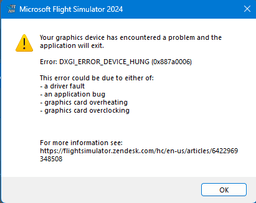
| Crashes on import | Corrupted EFB App install | Full sim reinstall + delete local cache folder (platform path) |
| Nothing works after multiple attempts | Corrupted local install | Reinstall MSFS + wipe local cache folder (platform path) |
Bottom line
The MSFS 2024 EFB SimBrief integration is a genuinely useful feature when it works — and it works most of the time. When it breaks, it almost always breaks for one of the same five reasons: a Sim Update changed the API, the nav data package isn't registering correctly, account/ID isn't entered correctly, the aircraft has its own loader you haven't pressed yet, or the World Map plan is overriding the SimBrief plan.
Walk the checklist at the top of this page in order before you reach for a reinstall. And after every MSFS Sim Update, get into the habit of opening Navigraph Hub first to pull whatever patched the SimBrief EFB App needs — that one habit prevents most of the misery.