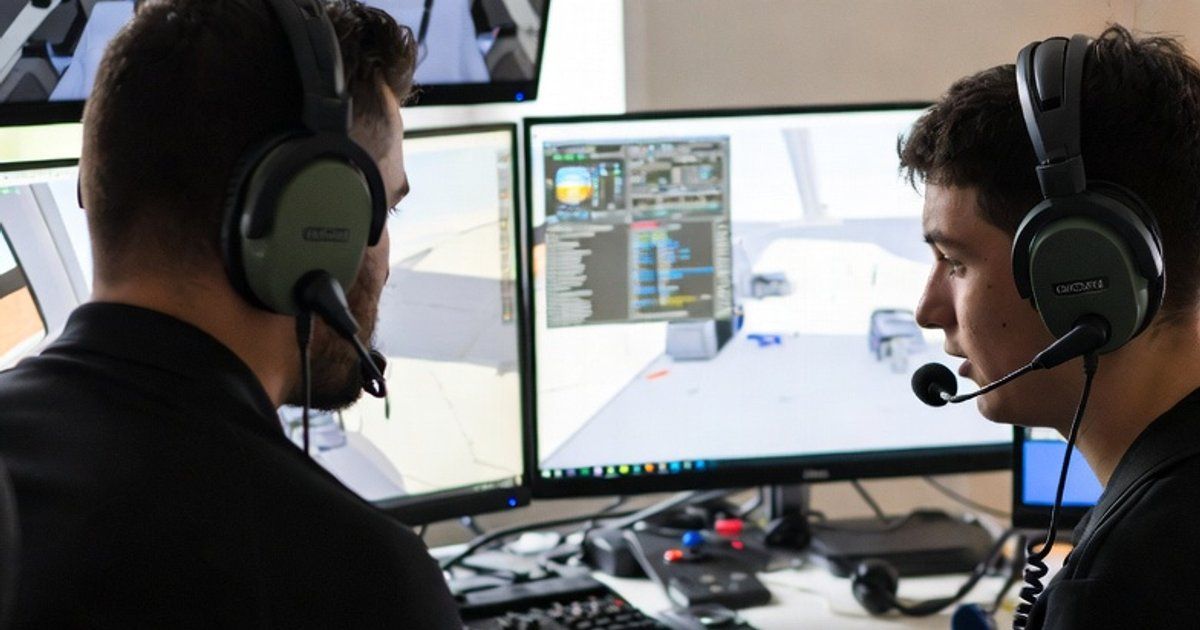
SimTuts connects skilled virtual pilots with students eager to learn. If you've got expertise in flight simulation and enjoy helping others, tutoring might be a good fit.
What You Need to Get Started
Becoming a SimTuts tutor doesn't require formal qualifications, but you do need genuine expertise and the right setup.
Experience Requirements
- Solid proficiency in at least one aircraft or simulator
- Understanding of fundamentals like navigation, weapons employment, and systems management
- Multiplayer experience so you can guide students in online environments
- Good communication skills to explain complex concepts clearly
You don't need to be a real-world pilot or have thousands of hours logged. What matters is that you can effectively teach others and have patience with beginners.
Technical Setup
To deliver quality lessons, you'll need:
- Reliable internet connection for video calls and multiplayer
- Headset with microphone for clear communication
- Webcam (recommended but optional)
- Ability to host or access training servers for practical instruction
Many tutors run their own server for lessons, which gives full control over missions and scenarios. You can also use public training servers if that works better for your teaching style.
Benefits of Tutoring on SimTuts
Earn Money Doing What You Love
Set your own hourly rate based on your experience and expertise. Whether you want to tutor casually for extra income or build it into a regular side hustle, you control your schedule and pricing.
Flexible Schedule
You decide when you're available. Set your recurring availability through your tutor profile, and students book slots that work for both of you. Take a week off? No problem—just update your availability.
Built-in Tools
SimTuts handles the business side so you can focus on teaching:
- Integrated video calls directly in the browser
- Booking management with automatic notifications
- Secure payments processed through Stripe (learn how payments work)
- Student messaging for pre-lesson coordination
Build Your Reputation
As you complete lessons and receive reviews, you'll build a profile that attracts more students. Highly-rated tutors with good reviews naturally get more bookings.
Preparing for Your First Lessons
Success as a tutor starts with preparation. Here's how to set yourself up for great lessons.
Set Up Your Profile
Your tutor profile is your storefront. Make it count:
- Write a compelling bio that highlights your experience and teaching style
- List your aircraft specialties so students can find you
- Set a competitive hourly rate (check other tutors for reference)
- Upload a profile photo to build trust with potential students
Prepare Training Materials
Before your first booking, have resources ready:
- Training missions for common topics (startup, navigation, weapons delivery)
- Kneeboard references or checklists you can share
- A structured lesson plan for beginners vs. intermediate students
- Cloud storage links (Google Drive, Dropbox) ready to share files
Test Your Setup
Nothing derails a lesson faster than technical issues. Before going live:
- Test your microphone and camera in a browser
- Verify your server is accessible (if hosting)
- Ensure you can share files quickly via cloud links
- Have a backup communication method (Discord, etc.) just in case
During the Lesson
Start Strong
- Join the video call a few minutes early
- Greet your student and confirm the lesson objectives
- Ask about their current experience level
- Outline what you'll cover in the session
Teach Effectively
- Demonstrate first - Show the technique while explaining
- Guide them through it - Let them try with your coaching
- Let them practice - Step back and observe, offering corrections
- Be patient - What's obvious to you is new to them
Use the Tools
- Share your server IP or session details verbally or through SimTuts messaging
- Send mission files via cloud storage links
- Use the built-in messaging for any follow-up resources
End Professionally
- Summarise what was covered
- Give 2-3 specific things to practice before the next lesson
- Thank them for their time
- Encourage them to leave a review if they enjoyed the session
Tips for Success
Specialise
Rather than being a generalist, become known for specific aircraft or skills. "The F-16 BVR expert" is more memorable than "teaches everything."
Be Responsive
Reply to booking requests and messages promptly. Students often book with whoever responds first.
Keep Learning
Even experienced pilots can improve. Stay current with updates, learn new aircraft, and refine your teaching techniques. Tutors can also book lessons with other tutors on SimTuts — it's a great way to pick up new skills or get checked out on an unfamiliar airframe.
Ask for Feedback
After lessons, ask students what worked well and what could be better. Continuous improvement builds a loyal student base.
Getting Started
If you're interested, register as a tutor, set up your profile, and start sharing your expertise with the flight sim community.
Questions about becoming a tutor? Contact us.